Abstract
The reviews show a real pain: Android users describe failed push notifications, frozen screens, enrollment loops, lost-device lockouts, and resentment at being forced onto a personal-phone app. But this is a weak solo-builder opportunity because the frustrated reviewer usually is not the buyer; employers, schools, healthcare portals, and other organizations choose the identity system.
Background
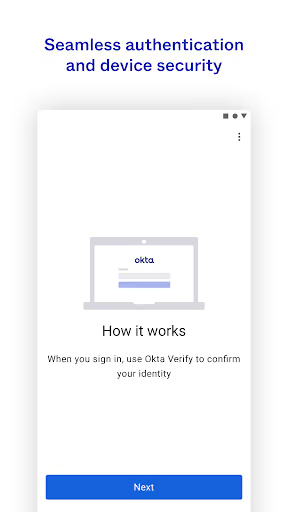
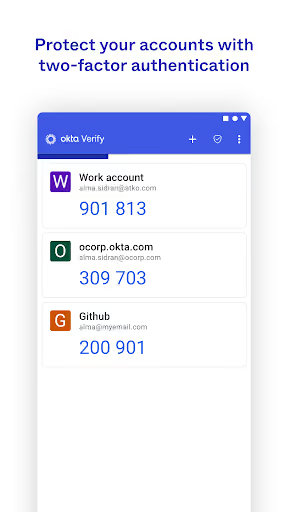
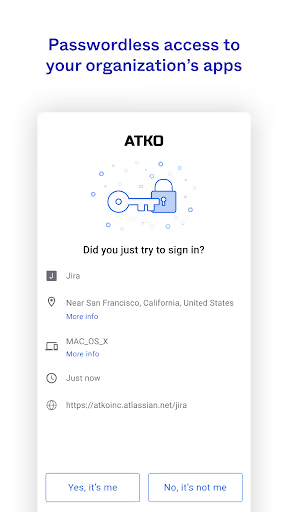
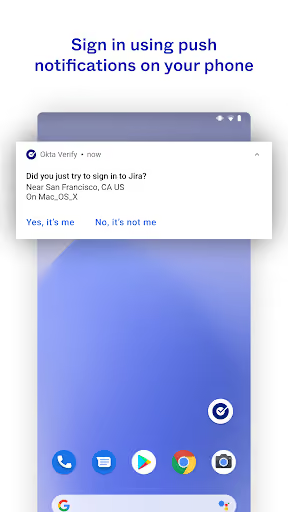
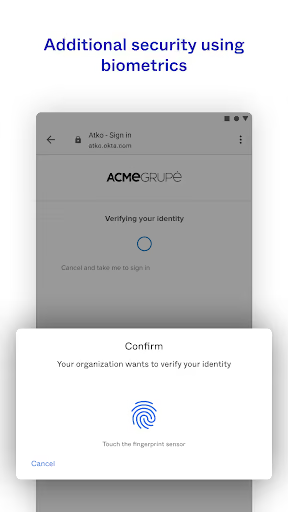
Okta Verify is a free Android app for 2-step verification using push notifications, temporary 6-digit codes, and biometrics where an organization enables them. It has a 3.9★ lifetime rating and 20,674,890 installs as of 2026-10-06.
What it does
Finishes sign-in for work, school, healthcare, benefits, and other organization-managed accounts using Okta-controlled MFA flows.
What broke
Reviewers describe Android push failures, app freezing, endless verification loops, confusing enrollment, FastPass failures, and poor recovery after a phone change.
Why it is not soft
Users are often forced to use it by an organization, so a better app cannot simply win them over unless the organization changes its MFA provider.
Strengths
Okta Verify is not an abandoned toy app: it sits inside high-stakes access flows, supports multiple verification methods, and has a massive installed base that a solo entrant would start without. Some reviewers still say it works, is simple, or has improved after updates.
Enterprise habit
The real moat is administrative deployment: employees, students, and patients do not pick the authenticator the way they pick a note app.
Security surface
Push, TOTP-style codes, biometrics, QR enrollment, and organization policy all create more trust and support burden than a normal consumer utility.
Still good enough for some
A few positive reviews say it does its job for work or that updates made it more usable, so the complaint base is not the whole user base.
Market gap
The gap is real, but it is mostly a reliability, recovery, and trust gap rather than a missing-feature gap. The most common complaints cluster around being unable to sign in when the app is the only gate.
Reliability at login
Users report no push notifications, frozen screens, crashes, expired codes, failed approvals, and loops that block work, school, paychecks, or medical access.
Enrollment and recovery
A recurring pain is needing the old device, an existing Okta session, a QR code, or an admin just to add the account again after a phone reset or replacement.
Forced personal-phone app
Several reviewers resent installing a proprietary work or organization app on a personal phone, especially when they would prefer SMS, email, a website, or another authenticator.
Confusing feedback
Users mention unclear errors, duplicate notifications, misleading location information, poor button feedback, and promotional or explanatory notifications mixed with login alerts.
Terrible. This app wouldn't work most of the time. I was constantly getting alerts that the push notification failed to send, if it even gave me an alert. I don't understand why any business would choose to use this.
Hands down the worst 2 factor authentication system in existence. My old phone broke so now there is literally NO way to get back into my accounts. No option to email, text, anything. I am now permanently locked out of my work account so I have no way to view paystubs, vacation time, anything!
unnecessary app bloat. it's heinous to have to install an entire app on my personal phone just to access one single website, with no option to use widely-used alternatives like Microsoft authenticator or Google authenticator
- Do not build an Okta Verify clone for trapped end users. They cannot switch unless their organization supports the replacement, so the product must be sold to small organizations before they standardize on Okta.
- Make recovery and device transfer the headline feature. The clearest wedge is not prettier MFA; it is avoiding the old-phone, no-code, no-admin lockout described by reviewers.
- Keep notifications and permissions boring. No marketing notifications, no unexplained permission prompts, and clear separation between login alerts and product education.
Build complexity
Estimated, not derived: one part-time solo developer, no funding, no team, and no paid acquisition. A narrow v1 could be built, but it would be a small-business MFA service, not a drop-in replacement for Okta Verify inside existing Okta organizations.
| Workstream | Weeks |
|---|---|
| Android authenticator app: enrollment, codes, push approval UI | 5 |
| Admin web console, org setup, QR enrollment | 5 |
| Backend sessions, push delivery, audit events, rate limits | 5 |
| Recovery, device transfer, fallback policy controls | 3 |
| Security hardening, testing, logging, privacy review | 4 |
| Billing, onboarding docs, Play listing | 2 |
| Pilot fixes from first organizations | 2 |
| Total | 26 |
Expected revenue
Estimated, not derived: assume a $3/user/month small-team plan and no paid acquisition. The blocker is not willingness to complain; it is getting an admin to trust and deploy a new MFA product.
| Month 12 funnel | ||
|---|---|---|
| Installs / trials from organic discovery | 1,200 | |
| Activated | 420 | 35% |
| Retained active users | 160 | 13% |
| Paid seats | 100 | $3/user/mo |
| Revenue | $300 | MRR |
Biggest challenges
The hardest part is not building a 6-digit code screen. It is winning organizational trust in a security-critical workflow where a failed release can lock people out of work, pay, school, or care.
Buyer mismatch
Most angry reviewers sound like forced users, not admins with budget and authority to replace Okta.
Not drop-in compatible
Okta push and FastPass flows are organization-controlled, so a third-party app cannot simply receive those approvals for an existing Okta deployment.
Security trust
A solo app with no track record must persuade admins that it will not create the exact lockout and reliability problem users are complaining about.
AI angle
There is no strong AI angle here. AI could help write clearer support copy or summarize error logs, but it does not solve push delivery, device enrollment, administrative trust, or the fact that organizations control the MFA provider.
Useful but minor
An AI support assistant could explain recovery steps in plain language, especially for confused enrollment and lockout cases.
Not a moat
The core product is security infrastructure; reliability, policy, and trust matter more than generative features.
Conclusion
Skip it. The pain is obvious, but a solo builder cannot capture most of it because the affected users are locked into an organization’s Okta decision. Build only if you already have small-business admin distribution and want a long, trust-heavy security product.
Time to v1
Price and model
Month-12 revenue
Deciding fact