Abstract
The reviews show a real opening: users like mobile modeling, tutorials, and quick creation, but many are angry that import/export, file formats, limits, ads, and stability block the exact workflow that makes a 3D app useful. The catch is that a credible 3D editor is far beyond a normal CRUD app, so this is only a cautious build for a solo developer who already knows graphics programming.
Background
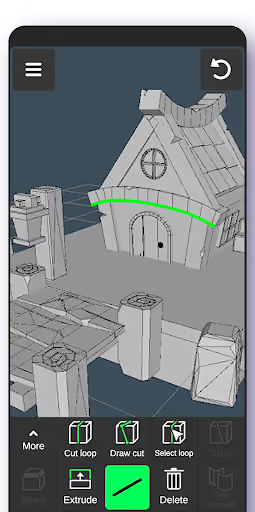
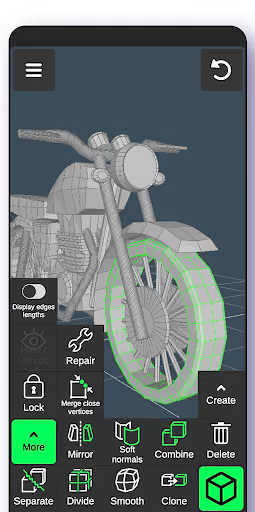
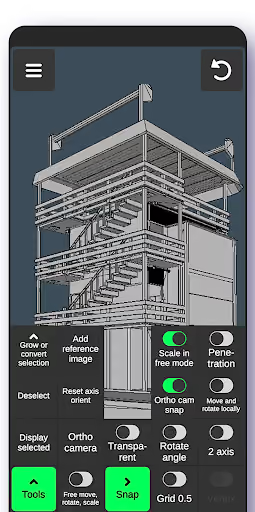
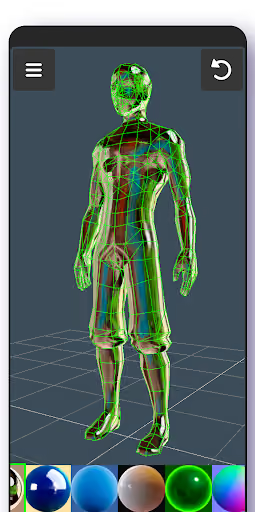
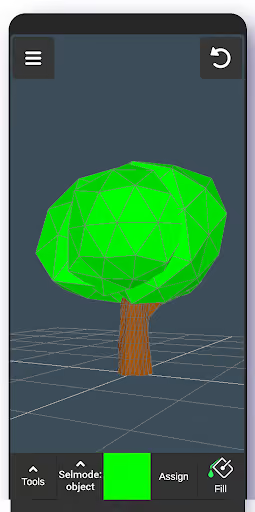
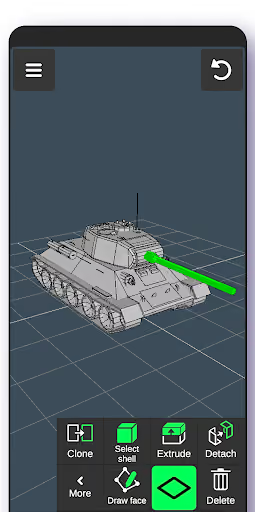
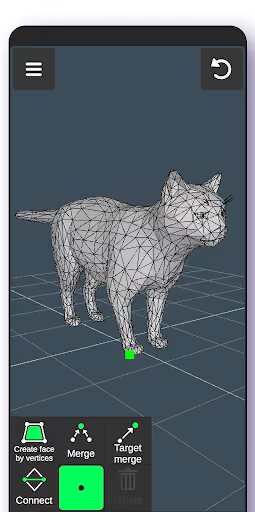
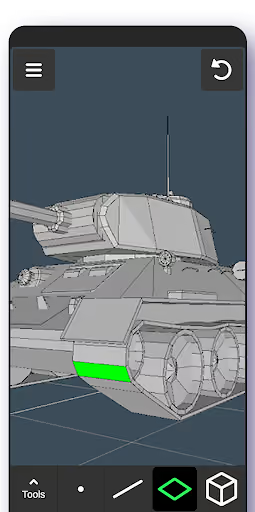
3D Modeling App: Sculpt & Draw is a free Android app for creating, sculpting, painting, importing, and exporting 3D models on mobile. It has a 4.1★ lifetime rating and 13,870,578 installs, so the demand is proven; the soft spot is that recent reviewers repeatedly describe the free-to-premium boundary as surprising or workflow-breaking.
What it does
Gesture-based mobile mesh editing, sculpting, vertex painting, materials, snapping, tutorials, autosave, and OBJ import/export.
What changed
Reviewers say importing and exporting models, especially OBJ/STL-style workflows, are now locked behind premium or discovered too late.
Why it is soft
A competitor can promise the opposite: make, import, and export basic models without a surprise subscription wall.
Strengths
This is not a weak product. Positive reviews call it easy, beginner-friendly, lightweight, useful for game assets, and good for quick modeling away from a PC. The incumbent has the hard-won store trust, tutorials, vocabulary, and install base that a new app would start without.
Beginner workflow
Several reviewers praise the tutorial, simple UI, and ability to learn modeling on a phone.
Mobile use case
Users explicitly value modeling on the go instead of opening Blender on a desktop.
Existing reach
13,870,578 installs means the category is visible, but also means a solo entrant competes against a known app.
Market gap
The complaints cluster around workflow ownership first, then product quality. Users are not merely asking for a cheaper app; they want a mobile modeler that lets them get their own files in and out, then continue in Prisma 3D, Godot, Blender, game engines, or other tools.
Import/export paywall
The most common complaint: users make or open a model, then discover import/export, OBJ, STL, or usable saving requires premium.
Ads and subscription friction
A smaller but sharp cluster objects to being asked for a subscription early, then seeing forced or intrusive ads.
Stability and limits
Crashes, texture corruption, restarts on texture loading, triangle limits, freezing, and lost progress appear often enough to matter.
Missing serious features
Reviewers ask for UV mapping, animation, GLTF/GLB export, layers, better camera controls, modifiers, and richer materials.
This app is pretty bad. I made a whole 3D model and when I tried to export it, it was suddenly behind a paywall. All my hard work went to the trash because I couldn’t save it. Please don’t install this app if you plan to export your model.
I like it very much, I tested it in another device and works as nice. But the problem that the texture has some bugs, and in older versions u can import your models to .obj, but now its for paying and I would like if it was free.
- Make OBJ import/export free on day one. That is the clear wedge; do not hide the core handoff workflow behind a late paywall.
- Charge for comfort, not file ownership. Use a one-time pro unlock for layers, advanced materials, extra primitives, larger scenes, and convenience tools.
- Keep v1 narrow and reliable. Do not chase full Blender-on-mobile; win trust with low-poly editing, OBJ, GLTF/GLB export, autosave, and crash-resistant texture handling.
Build complexity
Estimated, not derived: one part-time developer, no funding, no team, and no paid acquisition. A credible v1 is a constrained low-poly mobile modeler, not a full replacement for the incumbent’s entire feature list.
| Workstream | Weeks |
|---|---|
| 3D viewport, camera, selection, transform gizmos | 6 |
| Mesh editing: vertices, edges, faces, extrude, delete, undo | 6 |
| OBJ import/export plus basic GLTF/GLB export | 4 |
| Materials, simple texture handling, autosave, project files | 4 |
| Tutorial, Play listing, billing, QA on real devices | 4 |
| Total | 24 |
Expected revenue
Estimated, not derived: the model below assumes organic Play Store discovery, a free core with free OBJ import/export, and a $14.99 one-time Pro unlock for larger scenes and convenience features. Month-12 revenue is monthly sales revenue, not a guarantee of recurring subscription revenue.
| Month 12 funnel | Users | Assumption |
|---|---|---|
| Installs | 3,000 | organic niche traffic |
| Activated | 900 | created or imported a model |
| Retained | 300 | still using after first project |
| Paid | 80 | $14.99 one-time Pro unlock |
| Revenue | $1,200 | month-12 monthly sales |
Biggest challenges
The hardest part is not spotting the gap; it is shipping a trustworthy graphics tool alone. Users compare mobile apps to Blender-like workflows, file formats are unforgiving, and one crash that corrupts a model can destroy the trust your whole positioning depends on.
Graphics skill required
Viewport performance, mesh topology, undo stacks, and touch selection are specialized work, not standard app development.
Cold-start trust
A new app must convince users to create valuable work before it has reviews proving export and autosave are safe.
Scope pressure
Requests for UV mapping, animation, modifiers, layers, GLTF, materials, and stability can easily turn a 24-week v1 into an endless rewrite.
AI angle
There is no strong AI shortcut for the core opportunity. The hard requirements are deterministic 3D editing, reliable file import/export, viewport performance, and crash-safe storage. AI could help generate tutorial text or suggest simple shapes from prompts later, but it does not materially reduce the v1 build or solve the paywall complaint.
Useful but non-core
AI can draft onboarding, help docs, example prompts, and maybe simple mesh ideas.
Not the wedge
Users are complaining about exporting, importing, limits, ads, and crashes, not a lack of generative features.
Conclusion
Build it only if you already know 3D graphics. The market gap is real and obvious, but the product is technically heavy and the revenue ceiling for an organic solo app is modest. A focused, export-first mobile modeler is worth testing; a full Blender-style competitor is not.
24 weeks
Time to v1
$14.99
One-time Pro unlock
$1,200
Month-12 revenue
Import/export
Fact that decided it