Abstract
Infinite Painter is a beloved, high-install Android drawing app, but recent reviews repeatedly describe crashes around undo, layers, fills, PSD/project files, and purchase restoration; the opening is real, but a solo builder should attack the reliability wedge rather than try to clone a full professional art suite.
Background
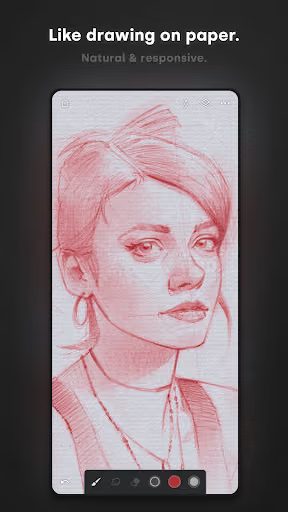
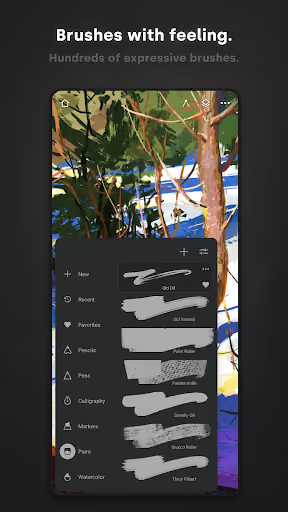
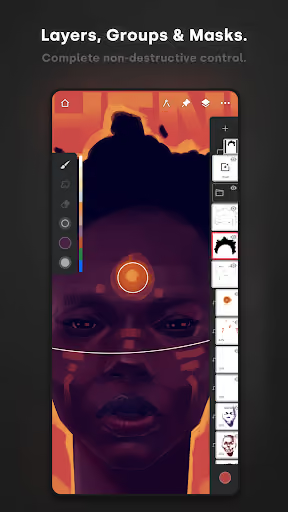
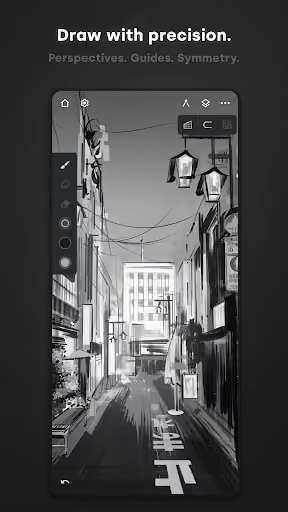
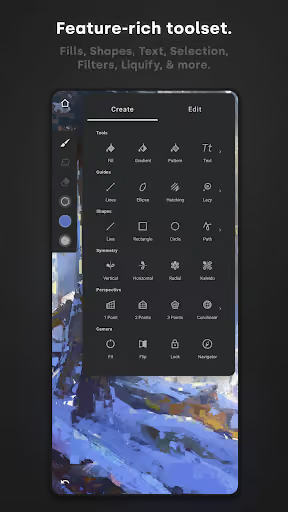
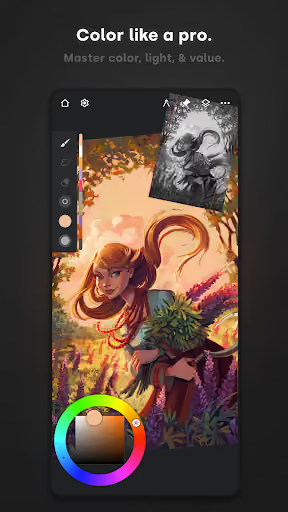
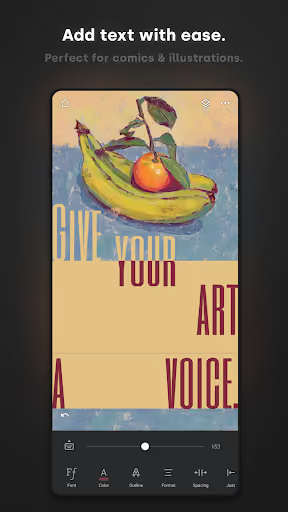
Infinite Painter is a free Android painting, sketching, and drawing app with a 4.5★ lifetime rating and 36,985,981 installs as of 2026-08-05. Its store page emphasizes brushes, stylus pressure and tilt, layers, masks, PSD export, timelapse, filters, perspective guides, and a Pro unlock.
What it does
A Procreate-like mobile art app for Android phones, tablets, and Chromebooks, with strong brushes, a clean canvas-first UI, layers, export, and stylus support.
What broke
Recent reviewers describe crashes when undoing, drawing, filling, moving layers, reopening files, exporting, using brushes, and restoring projects.
Why it is soft
Artists tolerate missing features; they do not tolerate losing work. A simpler app that is boringly reliable can win disappointed hobbyists without matching every advanced tool.
Strengths
This is not a weak incumbent. Even angry reviewers often say the brushes feel natural, the UI is clean, the app is responsive, there are many free brushes, the one-time Pro price feels fair, and they would rather keep using it if the crashes were fixed.
Loved drawing feel
Multiple reviews praise the brush quality, traditional-art feel, smooth flow, and minimal interface even while lowering ratings for instability.
Huge installed base
The app has 36,985,981 installs, so any competitor is fighting an entrenched habit, not an abandoned niche.
Fair monetization perception
Several users explicitly describe the one-time unlock as cheap or worth it; the biggest opening is reliability, not a revolt against paying.
Market gap
The complaints cluster around trust: artists like the tool, but do not trust it to preserve a session, a layer stack, or a paid license.
Undo-triggered crashes
The most common complaint is crashing while undoing, often wiping undo history and turning an experiment or mistake into something permanent.
Project and layer corruption
Reviewers mention lost progress, stretched drawings, missing layers, invisible layers, corrupted masks, broken PSD imports, and files that crash when reopened.
Paid access confusion
A smaller but serious cluster says a previous one-time purchase disappeared or required Google Play login to recognize the license.
Free-tier friction
Some users dislike the layer limit and essential tools behind Pro, but others accept the one-time payment, so this is less decisive than stability.
I purchased this app and have been using it for years, however I'm having extremely bad performance issues with it especially as of late. The app freezes and crashes constantly (a consistent issue I've had for a long time) and now it's messing up my project files. Layers glitching out of folders, reverting layer modes, progress repeatedly deleted, image quality/dpi reduced after drawing, layers becoming invisible randomly, unable to save work when done using lasso tool. Moto g power 2021
I loved this app so much. It was simple, it was intuitive... but I just lost a month of work because it suddenly crashes when I try to open a piece I've been working on just fine every day until now. Kept the layers below 20, higher resolution because it needs to be larger but, again, been working fine up til now. There's no way to access or export or even preview the piece outside of the app WITH the piece open. I... am so enraged and devastated.
I paid for all of the features this app had to offer several years ago. It was supposed to be a one time payment for access to all of it. Now recently, it has taken my access away as if I never paid for it, even though I still have past projects that I used those premium features on, on my account. I emailed them about it and got no response. Now they expect me to make another "one time payment" again to access it. This app could be great if the people managing it honored those payments.
- Do not clone the whole app. Ship a focused sketchbook: great brushes, layers, undo, autosave, PNG export, transparent background, and predictable reopen behavior.
- Make reliability the product. Expose version history, crash-safe autosave, manual project export, and a recovery screen before chasing advanced filters or community brushes.
- Use a clear one-time unlock. The reviews do not prove users reject paying; they show anger when paid access disappears or essential workflow is blocked without trust.
Build complexity
Estimated, not derived: one part-time developer, no funding, no team, and no paid acquisition. A full Infinite Painter clone is not realistic; this estimate is for a stable Android sketchbook v1 with a narrow feature set.
| Workstream | Weeks |
|---|---|
| Canvas engine, stylus input, zoom, pan, rotate | 5 |
| Brush engine with pressure, opacity, texture basics | 5 |
| Layers, blending basics, transparent export | 4 |
| Undo history, crash-safe autosave, project recovery | 4 |
| Project gallery, import/export, backup file format | 3 |
| Billing, onboarding, QA across Android devices | 3 |
| Total | 24 |
Expected revenue
Estimated, not derived: price the app at a $9.99 one-time unlock after a free limited tier. With no paid acquisition, month-12 revenue depends on organic search, Reddit/forum mentions, and dissatisfied Infinite Painter users trying a narrower stable alternative.
| Month 12, monthly | Users | Assumption |
|---|---|---|
| Installs | 1,500 | Organic only |
| Activated | 750 | 50% create a canvas |
| Retained | 375 | 25% of installs still active |
| Paid | 150 | 10% buy $9.99 unlock |
| Revenue | $1,500 | Rounded monthly sales |
Biggest challenges
The hard part is not making a toy canvas; it is making a drawing app stable enough that artists trust it with hours of work across fragmented Android hardware, while looking credible next to a 36,985,981-install incumbent.
Android device QA
Reviews mention Samsung, Moto, Poco, XPPen, tablets, phones, stylus devices, overheating, lag, and crashes; a solo builder cannot test the whole matrix.
Graphics skill depth
Pressure-sensitive brushes, undo stacks, layers, memory use, and export formats are specialized engineering, not ordinary CRUD app work.
Cold-start trust
Artists burned by corrupted files will demand proof before switching; a new app with few reviews has to over-communicate backup and recovery.
AI angle
There is no strong AI shortcut for the core opportunity. The gap is crash-safe drawing, undo, layers, and file integrity; AI can help write tests, generate sample brushes, or triage crash reports, but it does not remove the need for careful graphics and storage engineering.
Useful but secondary
AI-assisted development may speed boilerplate, docs, and test-case generation around project recovery and import/export edge cases.
Not the wedge
Adding generative art would not answer the reviews. Users are asking for fewer crashes, safer files, reliable purchases, and a smoother Android workflow.
Conclusion
Build a narrow version, not a full competitor. The market pain is clear and backed by a huge incumbent install base, but the product category is technically unforgiving. A solo builder’s best bet is a stable, paid-once Android sketchbook that wins on trust before breadth.
24 weeks
Time to v1
$9.99
One-time unlock
$1,500
Revenue at month 12
36,985,981
Installs behind the pain