Abstract
Sketch Pro has real demand, a 4.5★ lifetime average, and 1,607,301 installs, but recent reviews repeatedly complain about lost artwork, intrusive trial prompts, unwanted stroke correction, and AI in a drawing app; the opportunity is real, but only for a narrow, reliable, non-AI sketchpad rather than a full professional art-suite clone.
Background
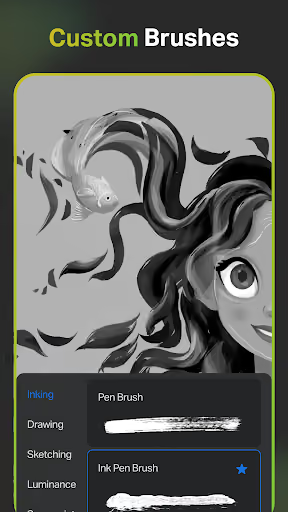
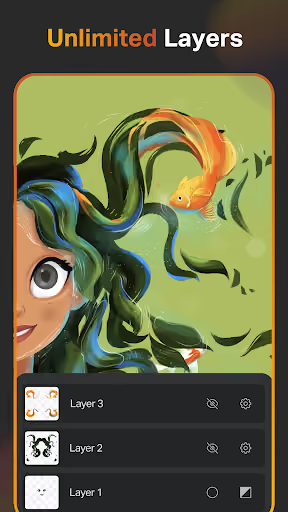
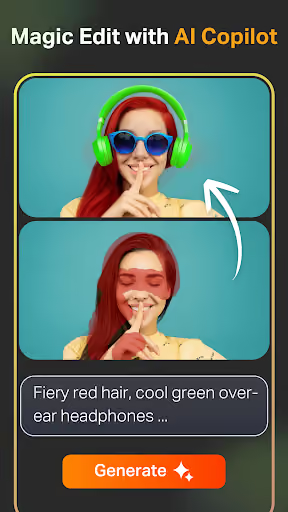
Sketch Pro: Draw & Create Art is a free Android drawing app for tablets and phones, positioned as a Procreate-like professional sketching, illustration, layer, brush, export, cloud-sync, and AI art workflow tool.
What it does
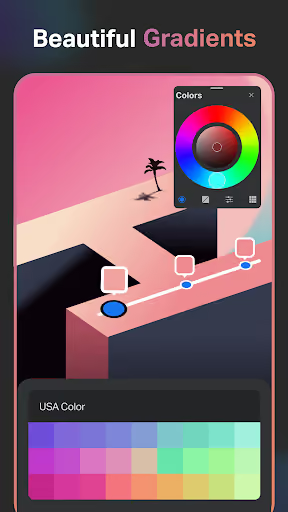
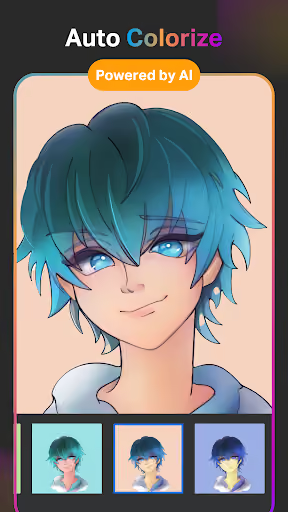
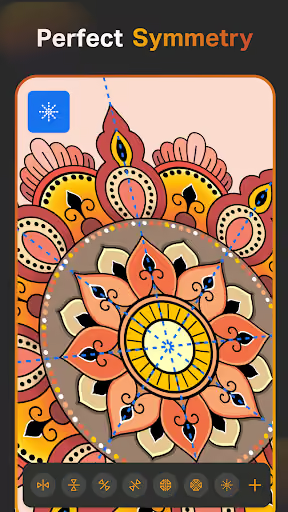
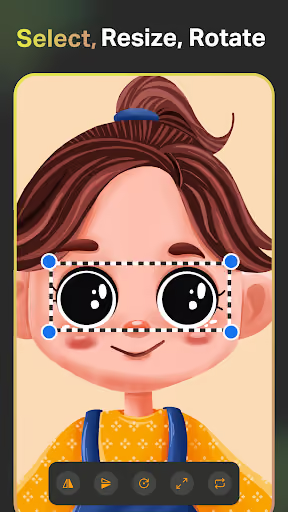
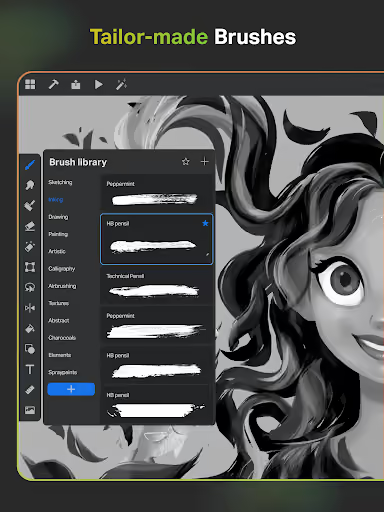
Brushes, layers, shapes, text, color palettes, image references, timelapse, export, and multiple AI tools for text-to-image, sketch-to-image, editing, background removal, and coloring.
What changed
Reviewers say the first-run experience pushes ratings, account setup, and a trial before drawing, while the app’s AI and assisted editing features interrupt the basic sketching flow.
Why it is soft
The negative reviews are not asking for more AI; they are asking for trust, reliable saving, predictable pen input, and the ability to draw without the app changing their work.
Strengths
This is not a weak incumbent: several reviewers still praise the free brushes, low-ad canvas, Procreate-like feel, stylus support, and feature depth, which means a competitor has to win on reliability and trust, not just on having a canvas.
Feature depth
Positive reviews mention good brushes, layers, symmetry, image import, high-quality export, and enough free functionality to complete real artwork.
Android Procreate gap
Users compare it favorably to Procreate-style workflows on Android, which is a valuable habit a new entrant would otherwise need to create from scratch.
Installed demand
The listed install base of 1,607,301 proves broad interest in Android drawing tools even before narrowing to the dissatisfied segment.
Market gap
The review pain clusters point to a practical wedge: do less than Sketch Pro, but make the first blank canvas trustworthy, offline, and predictable.
Lost work and broken undo
The most damaging complaint is disappearing drawings, deleted layers, failed saves, crashes, and undo actions that either do nothing or remove too much work.
Forced trial before drawing
Reviewers object to being asked for reviews, accounts, payment methods, or free trials before they have drawn a single line.
Unwanted stroke correction
A recurring drawing-flow complaint is that lines are transformed, straightened, erased, color-picked, or put into edit mode when the artist just wants raw pen input.
AI in an artist tool
Some artists reject generative AI outright; for them, even optional AI makes the app feel misaligned with the purpose of drawing.
So far, I have been asked to create an account and give up personal information, I have been asked to start a 7 day free trial and set up a payment, and to give a review of the app that I haven't even been able to use yet. I downloaded it just to doodle like in MS Paint. But this digital canvas is extremeley invasive and intrusive. Maybe let people use the app before you try to swindle data/money from them. How can anyone give a relevant review before they're allowed to draw a single line?
wish I could give less stars. I really really realllllllyyyy don't appreciate the fact that the sketching app is constantly changing my work. let me elaborate, Everytime I go to draw something precisely as I want it the AI or whatever keeps changing it to different shapes or brush strokes. if I wanted it to be that shape or darkness I would have pushed harder with the pen or drawn that's shape in the first place. makes getting initial sketches for a piece done really hard.
I never review anything but this has irritated me, I spent 6 HOURS ON AN ART PIECE THAT I WANTED TO SUBMIT TO A COMPETITION ON INSTAGRAM AND THE NEXT DAY I FIND IT GONE, COMPLETELY DELETED, I CRIED BECAUSE I HAD A CHANCE TO WIN 500$ AND I PUT SO MUCH EFFORT UNTIL ITS GONE AND I CANT FIND IT ANYMORE I NOW HAVE TO WITHDRAW MYSELF FROM THE COMPETITION!!! FIX THIS NOW!
- Make reliability the product. Ship local-first autosave, project recovery, layer-safe saves, and predictable undo before adding any advanced brushes or effects.
- Open directly to a blank canvas. No account gate, no payment method, no forced trial, and no review prompt until the user has actually finished or exported something.
- Be proudly AI-free and toggle-first. Assisted shapes, palm gestures, eyedropper shortcuts, and stabilization should be obvious settings, not hidden behaviors that rewrite the artist’s stroke.
Build complexity
Estimated, not derived: one developer, part-time, no funding, no paid acquisition. A full professional drawing suite is too much; this estimate is for a focused v1 Android sketchpad with brushes, layers, reliable save, export, stylus handling, and optional paid Pro features.
| Workstream | Weeks |
|---|---|
| Canvas, stroke engine, zoom, pan, pressure input | 5 |
| Brushes, eraser, color picker, fill, basic tools | 4 |
| Layers, undo stack, autosave, recovery | 5 |
| Stylus, palm rejection settings, orientation, gestures | 3 |
| Image import, reference layer, PNG export | 2 |
| Onboarding, Play billing, listing, privacy copy | 2 |
| Device QA, beta feedback, crash fixes | 3 |
| Total | 24 |
Expected revenue
Estimated, not derived: free core canvas, no forced trial, optional $3.99/month Pro for extra brushes, timelapse, larger canvases, and cloud backup. With no paid acquisition, assume slow organic growth from anti-AI positioning, review replies, and Play Store search.
| Month 12 funnel | Users | Assumption |
|---|---|---|
| Installs | 20,000 | Organic cumulative by month 12 |
| Activated | 7,000 | 35% create or import a canvas |
| Retained | 2,400 | 12% still active after habit test |
| Paid | 300 | $3.99/month optional Pro |
| Revenue | $1,200/month | Rounded from active paid subscribers |
Biggest challenges
The hard part is not copying the feature list; it is earning trust in a category where artists punish data loss immediately, and where device-specific stylus, palm, orientation, and performance bugs can make a good canvas feel broken.
Cold-start credibility
Sketch Pro already has a 4.5★ lifetime rating and more than 1.6M installs; a new app starts with no reviews and no proof that saves are safe.
Drawing-engine skill
Smooth strokes, pressure, undo, layers, memory use, and canvas zoom are specialized mobile graphics work, not ordinary CRUD app development.
Android device spread
Reviews mention phone pens, tablets, S25 compatibility, rotation, palm rejection, and lag; a solo builder will need real-device beta testing.
AI angle
There is no genuine product AI angle here. AI is part of the incumbent’s trust problem, not the wedge; a competitor should be explicitly AI-free. Coding assistants may help with boilerplate and tests, but they do not materially reduce the hard work of a reliable canvas, stroke engine, save system, and device QA.
Conclusion
Build it. But build the smallest credible version: an AI-free, local-first Android sketchpad that never gates the blank canvas and treats autosave as the core feature. Do not try to out-feature Sketch Pro on day one.
24 weeks
Time to v1
$3.99/mo
Optional Pro, free core
$1,200
Month-12 MRR
1,607,301
Installs proving demand