Abstract
Draw with AR has real product love, a 4.5★ lifetime rating, and 2,181,370 installs, but recent reviews expose a narrow opening around long ads, privacy consent friction, weak reference search, image degradation, and overlay stability; the catch is that most users still want this category to stay free.
Background
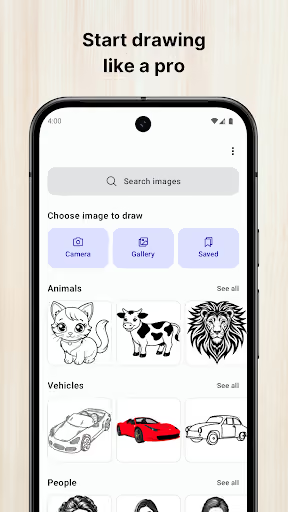
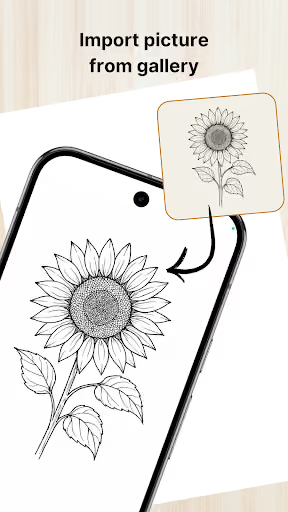
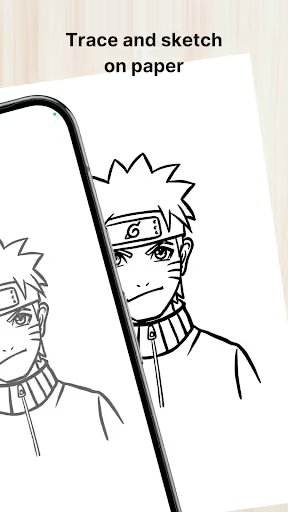
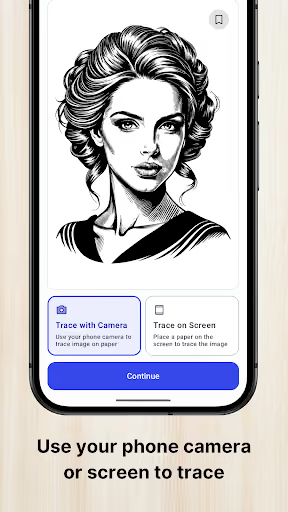
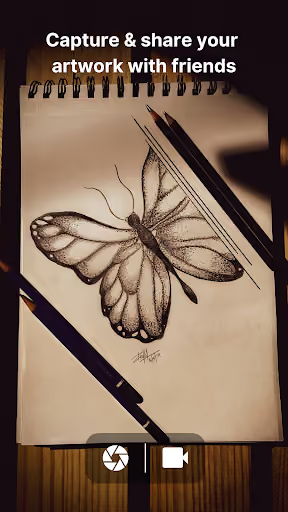
Draw with AR: Trace and Sketch is a free Android app for tracing images through the camera or screen: import a gallery image, adjust opacity, scale and rotate it, convert it to outlines, record the drawing, and save or share the result.
What it does
It turns a phone into a simple AR drawing aid for school projects, portraits, anime, diagrams, and beginner practice.
What changed
A negative review says it was well functioning before being inundated with ads; other complaints mention long ads, consent friction, weak search, and image/camera issues.
Why it is soft
The core utility is not exotic AR; it is camera overlay, image transforms, outline conversion, and low-friction UX, which a solo builder can approximate.
Strengths
This is not a broken incumbent. Reviewers repeatedly praise that it works, feels simple, runs offline or with little friction, imports gallery photos, locks images, converts to outlines, and avoids the heavy paywalls they see in other AR drawing apps.
Large installed base
2,181,370 installs gives it store trust and habit a new app starts without.
Core feature love
Positive reviews specifically call out gallery import, camera tracing, outline mode, mirror, zoom, and low-spec-device usability.
Free expectation
Many happy users explicitly value that they can draw without paying, which limits how aggressively a competitor can charge.
Market gap
The opportunity is a cleaner, calmer AR tracing app, not a full art platform. The complaint clusters are specific and practical.
Ad interruption
The loudest negative theme is ads appearing at moments that break flow, especially when selecting or changing an image.
Weak references and AI slop
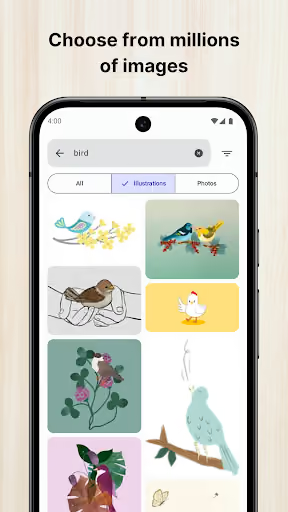
Some reviewers dislike the built-in image choices, realistic search results that are hard to trace, limited matching results, or AI-looking reference content.
Overlay and image quality
A few complaints mention images moving, shrinking, blurring, degrading after upload, or being hard to align without accidental rotation.
Privacy and saving
One pointed review challenges the third-party data prompt, while others ask for better video or drawing saving inside the app.
This app was well functioning before it got inundated with ads. I understand independent apps need ads to survive, but when back to back long unskippable ads come right after selecting an image for tracing, it's a headache. Because of this, I dread changing an image for tracing. Plus, when you upload the image for tracing, its quality decreases. So you cannot see any details. It's sad to see that this is the condition of a well working app.
Why does the Data Safety part of the store page for this app say No Data Shared with Third Parties when the first thing that pops up when you open the app is a list of third parties that data will be shared with? Also can we get a reject all button? I don't consent, I don't want legitimate interest, and I don't see how the two are different. I'd sooner just not use the app than have to uncheck all this stuff.
sucks when I'm drawing the image starts moving without anyone touching it and it shrinks and grows so it sucks
- Make “no interrupting ads while tracing” the promise. Use a free tier, but never show an ad after image selection, during alignment, or while the camera overlay is active.
- Win on reference quality, not volume. Curate beginner-friendly outline packs and make gallery import excellent, because reviewers already fall back to their own images when search disappoints.
- Ship rock-solid lock, save, and privacy controls. The differentiator is boring reliability: a locked overlay that does not drift, full-resolution tracing assets, saved recordings, and a clear reject-all consent path.
Build complexity
Estimated, not derived: one part-time developer, no funding, no team, and no paid acquisition. A credible v1 is possible, but matching the incumbent’s polish across Android devices is the real time sink.
| Workstream | Weeks |
|---|---|
| Camera overlay, permissions, and device testing | 2.0 |
| Gallery import, opacity, zoom, rotate, mirror, and lock | 1.5 |
| Outline conversion and image-quality handling | 1.5 |
| Curated reference library and simple search | 1.0 |
| Recording, save flow, and share/export | 1.0 |
| Billing, consent, no-interruption ad policy, and Play listing | 1.0 |
| QA pass on low-end phones and tablets | 1.0 |
| Total | 9.0 |
Expected revenue
Estimated, not derived: the month-12 funnel assumes organic discovery only, a generous free tier, and a $4.99 one-time “Clean Studio” unlock for no tracing-session ads, HD export, saved recordings, and curated packs. This is monthly revenue from new unlocks, not a venture-scale subscription engine.
| Month 12, monthly | Estimate | Assumption |
|---|---|---|
| Installs | 1,800 | Organic ASO, school-project use, and creator demos |
| Activated | 900 | Imports or searches an image and starts tracing |
| Retained | 360 | Comes back for another drawing or project |
| Paid | 140 | $4.99 one-time unlock in that month |
| Revenue | $700 | Month-12 monthly revenue estimate |
Biggest challenges
The hard part is not the basic overlay; it is earning trust against a 4.5★ app with 2,181,370 installs while supporting messy Android camera behavior without a QA lab.
Cold-start store trust
A new listing has no review base, while the incumbent already has strong social proof and many users calling it the best option.
Android device variability
Camera blur, overheating, battery drain, touch issues, and low-end-device performance are all likely to show up in support.
Monetization ceiling
The audience repeatedly praises free access, low ads, and no subscriptions, so charging enough to matter will be difficult.
AI angle
There is a real but limited AI angle: not filling the app with AI-generated reference art, which one reviewer explicitly disliked, but converting user photos into clean, beginner-friendly trace layers.
Useful AI
AI-assisted simplification could turn a realistic photo into bold outlines, reduce background clutter, and make hard references more traceable.
Risky AI
A default library full of AI-looking images would repeat one of the complaints instead of fixing it.
No estimate change
This is a differentiator inside the outline workstream, not a reason to reduce the 9-week build or raise the $700/month estimate.
Conclusion
Skip it. Build only if you personally want this niche; the product gap is real, but the incumbent is still loved, free, highly rated, and hard to displace without paid acquisition.
9 weeks
Time to v1
$4.99
One-time unlock
$700
Revenue at month 12
4.5★
Fact that decided it