Abstract
AR Draw Sketch has real demand — 2,281,542 installs, a 4.6★ lifetime rating, and many happy beginner users — but reviews repeatedly complain that ads, subscription prompts, and occasional camera crashes interrupt the exact tracing flow people came for.

Background
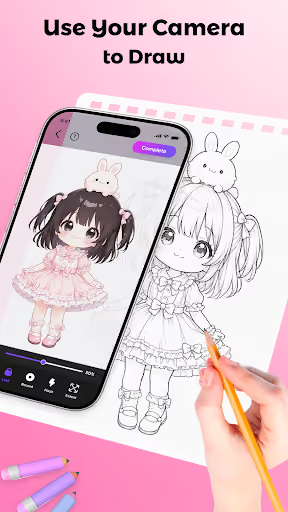
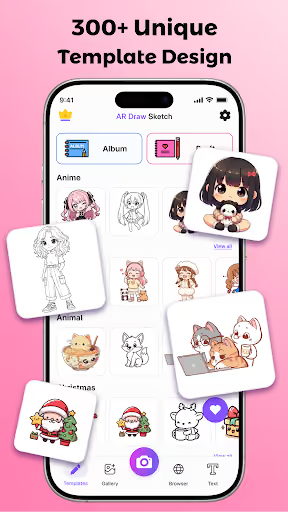
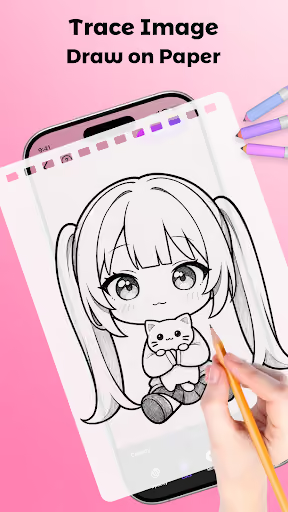
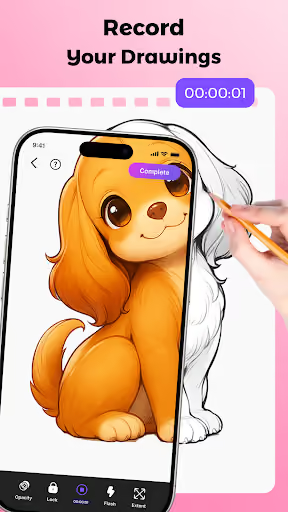
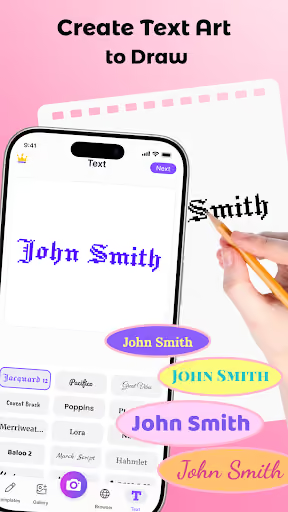
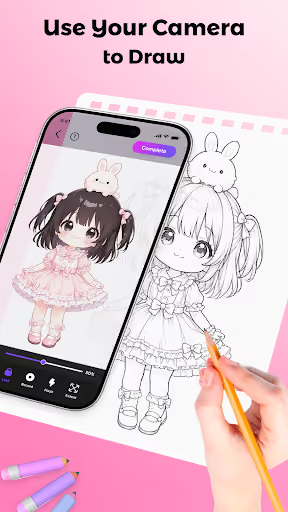
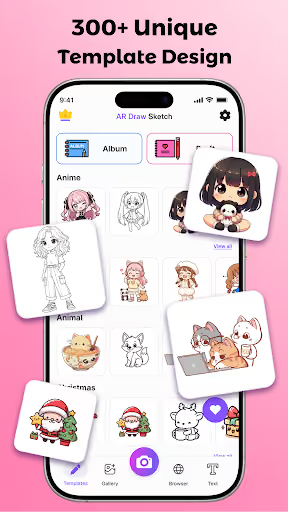
AR Draw Sketch – Drawing Apps is a free Android app that uses the phone camera as an AR guide so users can trace images onto paper, import photos, browse images, adjust opacity, follow lessons, and record drawing sessions.
What it does
It helps kids, hobbyists, and beginners draw by placing a transparent image over the live camera view, then letting them trace it on real paper.
What changed
The review pain is not one clean pricing revolt; it is a messy monetization-and-quality drift: too many ads, repeated subscription prompts, paid gates, refund frustration, and some broken camera sessions.
Why it is soft
Users already understand the category and praise the core mechanic, so a competitor does not need to educate the market — it needs to be calmer, safer, and more reliable.
Strengths
This is not a dead app. Many reviewers say it helps them draw better, works for kids and beginners, supports gallery images, and includes an in-app browser people specifically like. A new entrant would be competing against a familiar habit, a large install base, and a still-strong lifetime rating.
Core utility is loved
Positive reviews repeatedly say drawings come out well, the app is easy to use, and beginners can make pictures they otherwise could not draw.
Import and browser are sticky
Several users praise being able to use gallery images, screenshots, or the built-in browser instead of relying only on bundled templates.
Kids use it
The app appears to appeal strongly to children and families, which is commercially useful but also raises the bar for trust, ads, refunds, and privacy.
Market gap
The gap is a cleaner AR tracing app, not a more feature-packed one. Complaints cluster around interruptions first, then monetization friction, then reliability during the camera workflow.
Ad overload
The most common complaint is that ads appear at launch, between taps, or in ways that block the drawing experience.
Upsells and paid gates
Reviewers mention subscription popups, premium requirements, paid access to more drawings, and one refund denial after a child accidentally downloaded or bought something.
Camera crashes and freezes
A smaller but serious cluster says the camera feature freezes, goes black, or the app crashes at save-time.
Learning and community wants
A couple of users ask for richer updates, profiles, competitions, or drawing-post features, but this is secondary to making tracing pleasant.
absolutely awful experience. nothing but adds trying to trick me into installing other apps for 5 minutes before I could even access the actual program. what a waste of time
It's a fun little app! I love the fact there's a browser so I can just look up images and draw them! My ONE issue, Every single time I click a button, it asks if I wanna buy the subscription. At this point, I memorized where and what to click whenever I use this app and what buttons I click when the ad for the subscription pops up.
downloaded it and right after loading there was an ad. which is fine, whatever. I then clicked on a simple black and white drawing that the app offers, and then it froze. I could move the picture around but the camera feature wasn't working. then the screen went black and I couldn't do anything. I restarted the app and it did the same thing.
- Make tracing mode interruption-free. No interstitials after the camera opens, no ad covering the drawing surface, and no repeated upsell dialog while the user is trying to trace.
- Use a simple one-time unlock. Keep gallery import and basic tracing usable for free, then sell an ad-free family-safe unlock instead of nagging users with subscription prompts.
- Win on camera reliability before content volume. Device compatibility, black-screen recovery, save stability, and a simple calibration flow matter more than shipping a giant template library on day one.
Build complexity
Estimated, not derived: one developer, part-time, no funding, and no paid acquisition. A focused Android v1 should copy the proven core — camera overlay, gallery import, opacity control, simple line-art conversion, recording, and a clean unlock — not the whole lesson/community vision.
| Workstream | Weeks |
|---|---|
| Camera preview, overlay, pinch/rotate, opacity | 3.0 |
| Gallery import, basic browser/import flow, image positioning | 2.0 |
| Photo-to-line-art and starter templates/lessons | 2.0 |
| Recording, save/share, onboarding | 1.0 |
| Billing, privacy, Play listing, family-safe ad-free positioning | 1.5 |
| Device QA and crash recovery polish | 0.5 |
| Total | 10.0 |
Expected revenue
Estimated, not derived: the pricing assumption is a free app with no ads during tracing and a $14.99 one-time ad-free unlock for families and hobbyists. With no paid acquisition, month-12 revenue depends on slow organic Play Store search, creator posts, and frustrated users searching for a cleaner alternative.
| Month 12, monthly funnel | Estimate | Assumption |
|---|---|---|
| Installs | 2,000 | Organic only |
| Activated | 1,000 | Complete first trace |
| Retained | 600 | Still useful after first project |
| Paid | 100 | $14.99 one-time unlock |
| Revenue | $1,500 | Rounded month-12 monthly revenue |
Biggest challenges
The hard part for a solo builder is not proving people want AR tracing; the existing app already does that. The hard part is shipping a camera-heavy app that works across messy Android devices while earning trust against a free incumbent with millions of installs and a 4.6★ lifetime rating.
Android camera variance
Black screens, freezes, autofocus issues, rotation, permissions, and recording bugs can consume more time than the UI itself.
Cold-start store trust
A cleaner app still launches with no reviews, no ranking history, and no paid acquisition budget.
Kids and policy risk
Because reviews mention children, dark-pattern billing, aggressive ads, privacy, and template copyright are not side issues; they are central trust constraints.
AI angle
There is a real but modest AI angle: AI can reduce dependence on a large copyrighted template library by turning a user’s own photo into cleaner trace lines and simple step-by-step practice stages. It does not remove the camera-engineering work, so it should not change the 10-week build estimate.
Without AI
You need hand-made templates and lessons to look complete, which is slow and creates copyright-review risk if the library leans on popular characters.
With AI
User-owned images can become line-art overlays and rough lesson stages, making the app feel useful before it has a big content catalog.
Conclusion
Build it, but keep the scope tight. This is a fair solo-builder opportunity because the complaint is clear and the core product is buildable, but the incumbent is still well-liked; the wedge is a calmer, ad-free tracing experience, not a full social art platform.
10 weeks
Time to v1
$14.99
One-time unlock
$1,500
Revenue at month 12
Ads
Deciding complaint