Abstract
Stripe Dashboard has real mobile workflow complaints around payout clarity, missing detail screens, broken widgets, login loops, and Tap to Pay regressions, but a solo builder should target a read-only companion dashboard rather than pretending to replace Stripe’s payment network.
Background
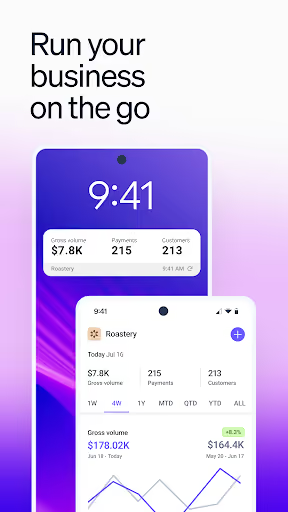
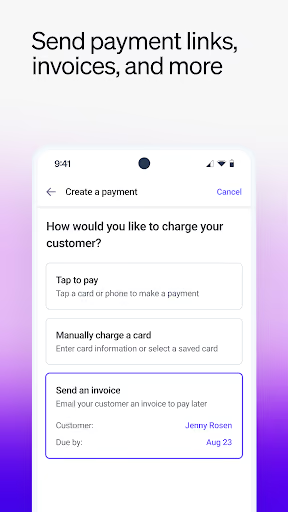
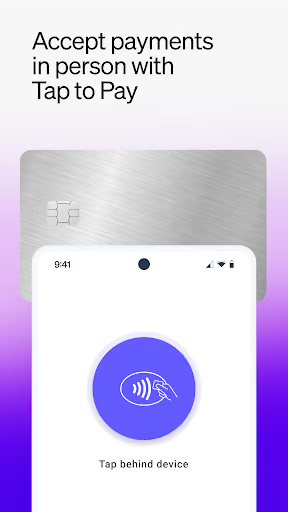
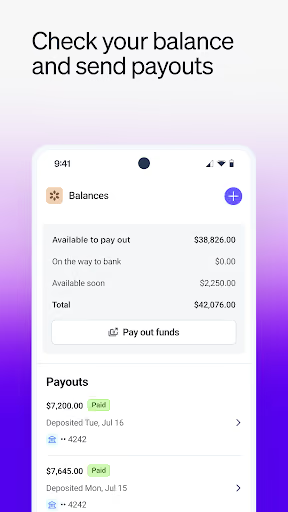
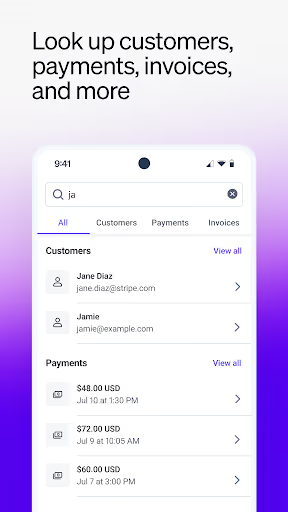
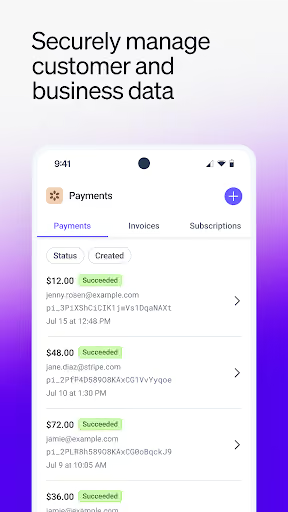
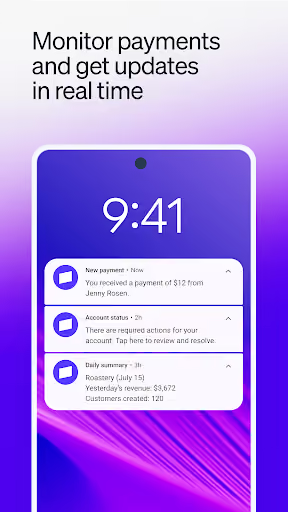
Stripe Dashboard is Stripe’s free Android app for monitoring revenue, payments, balances, payouts, refunds, invoices, Tap to Pay, and business notifications. It still shows a 4.3★ lifetime rating and 3,001,090 installs, so the opportunity is not that nobody likes it; it is that recent mobile workflows are frustrating merchants who already depend on Stripe.
What it does
Mobile access to Stripe account activity: revenue, payments, balances, payouts, refunds, customers, invoices, Tap to Pay, and push summaries.
What changed
Reviewers complain that recent updates made payouts confusing, removed purchase metadata from the app, broke widgets, slowed startup, and forced web links back into the app.
Why it is soft
Mobile users often cannot abandon Stripe itself, but they may pay for a cleaner, safer companion view that restores the old dashboard jobs.
Strengths
Stripe is not a strawman here. Positive reviews still praise instant transaction monitoring, refunds from the phone, daily visibility into income, broad business use, and support wins. The app also sits on top of a payment account merchants already use, which gives it a retention advantage a new entrant cannot copy.
Habit already exists
With 3,001,090 installs, Stripe has trained many merchants to check payments and payouts from a phone.
Core jobs are valuable
Even unhappy users want mobile payout clarity, transaction detail, invoice access, Tap to Pay, notifications, and customer lookup.
Free incumbent
The official app is free, so a paid competitor must be meaningfully better for a narrow power-user segment.
Market gap
The most useful gap is not “build another Stripe.” The complaints split into product clusters, and only some are addressable by a solo-built companion app.
Payout clarity and cash-flow anxiety
The loudest pain is delayed payouts, reserves, instant payout confusion, fees, and not understanding where money is. A companion can explain and organize visible data, but cannot speed up Stripe payouts.
Mobile parity regressions
Reviewers say purchase metadata, customer details, invoice workflows, Stripe Capital info, and other web-dashboard data are missing or pushed to desktop.
Login, onboarding, and link loops
Several users describe 2FA, Google sign-in, password reset, verification, bank setup, and browser-to-app loops that block basic access.
Tap to Pay and reader reliability
Tap to Pay stopped working for some users, and one reviewer could not connect a WisePad. This is attractive pain, but risky for a solo builder to clone.
The latest update unfortunately has ruined the app. Future payouts used to be clear and easy to understand. You could see what was paid out last week and what was going to be paid out for the current week. Now I have future payouts, incoming earnings and an instant payout figure that make no sense at all. Please change this back to the previous layout.
The new update on the app no longer shows metadata from your client's purchase you can only see it through the Web things like their phone number, what they bought. The sizes. You can only see it through desktop view now
- Build a read-only cash-flow dashboard first. Focus on payout timelines, balances, reserves, fee visibility, and plain-English status labels; do not promise faster payouts.
- Restore missing mobile detail. Payment metadata, customer contact fields, purchase contents, searchable transaction history, widgets, and reliable notification deep links are the clearest wedge.
- Avoid Tap to Pay in v1. It is visible pain, but payments acceptance, device trust, and compliance are too heavy for a part-time solo builder.
Build complexity
Estimated, not derived: one developer, part-time, no funding, and no paid acquisition. This assumes a companion app that connects to a user’s Stripe account data and improves dashboard views, not a new payment processor.
| Workstream | Weeks |
|---|---|
| Secure account connection and token/session handling | 2.0 |
| Read-only revenue, payments, balances, and payouts views | 2.0 |
| Payment detail, metadata, customer search, and exports | 1.5 |
| Widgets, notifications, and deep-link handling | 1.5 |
| Billing, onboarding, QA, privacy copy, and Play listing | 3.0 |
| Total | 10.0 |
Expected revenue
Estimated, not derived: price the app at $9/month after a free trial, aimed at Stripe merchants who care enough about mobile cash-flow visibility to pay for a companion dashboard. Because the official app is free and the product handles sensitive business data, conversion should be assumed modest.
| Month 12, monthly | ||
|---|---|---|
| Installs | 1,500 | |
| Activated | 525 | 35% |
| Still on at 30d | 300 | 20% |
| Paid | 200 | 13% |
| Revenue | $1,800 | $9/mo |
Biggest challenges
The hardest part is trust, not screens. Merchants are complaining about money being held and support being unreachable; asking those same people to connect financial data to an unknown solo-built app is a serious cold-start problem.
Financial-data trust
A new app with few reviews must persuade business owners that it will not mishandle sensitive payment and customer information.
Integration fragility
If Stripe changes authentication, redirects, fields, or mobile permissions, the companion app can break even if your own code is clean.
Scope temptation
Users ask for instant payouts and Tap to Pay fixes, but those are payment-network problems, not weekend-app features.
AI angle
There is a real but narrow AI angle: use AI to turn confusing payout, fee, and payment metadata into plain-English explanations and searchable summaries. It helps with the “what happened to my money?” experience, but it cannot override Stripe policies, release funds, fix verification, or replace Tap to Pay.
Useful AI
Transaction summarization, fee explanations, anomaly flags, natural-language search, and draft customer/support notes based only on visible account data.
Not useful AI
AI should not pretend to make payout decisions, verify identities, or diagnose account restrictions that the app cannot actually control.
Conclusion
Build a narrow version. Do not build a Stripe replacement. Build a paid Stripe mobile companion for merchants who need the old-simple payout view, metadata, widgets, and mobile detail reliability. The opportunity is real, but capped by trust, a free incumbent, and problems you cannot solve.
10 weeks
Time to v1
$9/mo
Subscription companion app
$1,800
Revenue at month 12
Free incumbent
Fact that caps the upside