Abstract
Philips Hue has a large, sticky hardware ecosystem and a 4.5★ lifetime rating, but recent reviews repeatedly complain about broken automations, failed logins, unreachable lights, weak Android widgets, and updates that turn a premium lighting system into a chore. The gap is real, but a solo builder should not try to clone the whole official app; the realistic wedge is a paid Android companion focused on fast local control, widgets, reconnect tools, backups, and simpler automations.
Background
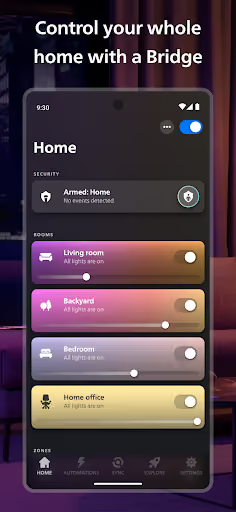
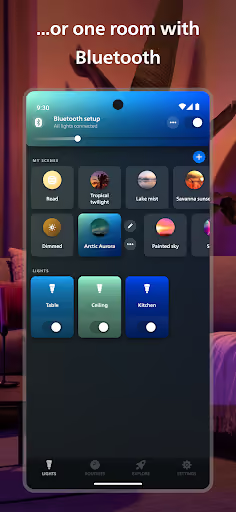
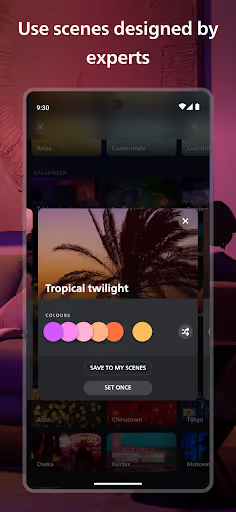
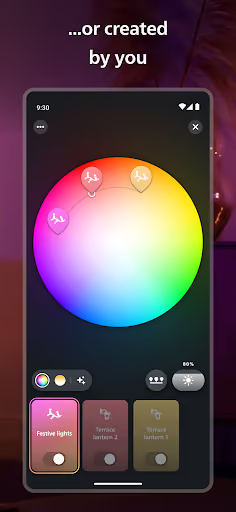
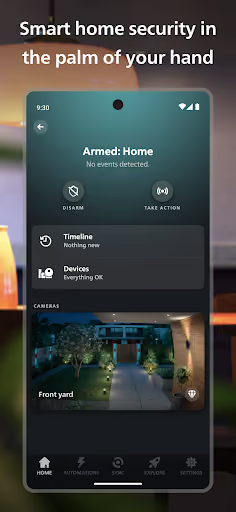
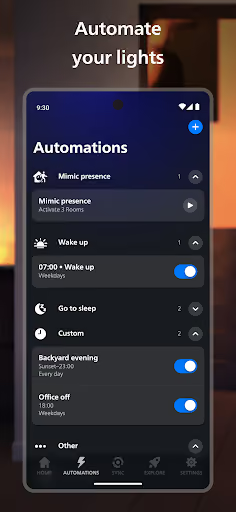
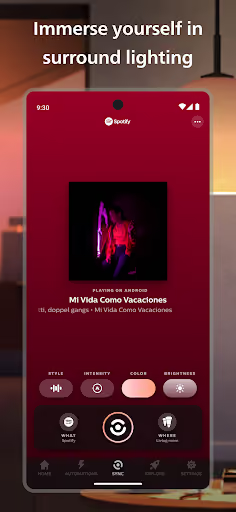
Philips Hue is the official app for organizing rooms and zones, controlling lights remotely, using scenes, managing automations, connecting voice assistants, syncing with entertainment, and configuring newer security features. It is free, rated 4.5★ lifetime, and the install series ends at 11,947,488 installs on 2026-10-09.
What it does
Controls Philips Hue lights, rooms, zones, scenes, automations, accessories, voice integrations, widgets, security devices, and entertainment sync.
What changed
Recent reviewers describe updates that broke automations, login, bridge migration, device adding, sync boxes, Spotify sync, and even basic app opening.
Why it is soft
The official app is broad and account-heavy; a small app can win only by being narrower, faster, more local, and better on Android daily-control workflows.
Strengths
This is not a broken product with no moat. Many reviewers still praise Hue lights, scenes, brightness, color quality, reliability when everything is working, Google Home or Alexa integration, remote control, and years of habit. A competitor starts behind the official app’s hardware trust, install base, and breadth.
Premium hardware habit
Reviewers mention expensive bulbs, bridges, switches, sensors, outdoor lights, strips, and long-running whole-home setups.
Core control still works for many
Positive reviews say the app controls lights, dimming, colors, saved scenes, schedules, and voice integrations well when the system is stable.
Feature breadth
A solo app should not attempt cameras, full entertainment sync, every accessory, and every bridge path in v1.
Market gap
The complaints form a clear spec for a narrower alternative: users want dependable light control, less account friction, better Android shortcuts, and automations that do not regress after updates.
Broken updates and automations
The loudest cluster is updates breaking automations, buttons, rooms, sensors, bridge migration, sync, and basic control.
Login, account, and offline distrust
Several reviewers object to being signed out, password reset delays, account nags, forced cloud assumptions, and local devices failing when remote services misbehave.
Android widgets and fast control
A repeated Android-specific ask is consolidated room widgets, brightness and temperature controls, lock-screen-style shortcuts, and fewer trips through the full app.
Setup and recovery friction
QR scanning, unreachable bulbs, failed updates, forgotten switches, and no quick reconnect or backup flow make maintenance feel fragile.
Last update completely broke automations. Reset and rebuilding did nothing. App has no clue what time it is anymore. Useless function now. It appears the update also screwed up all buttons as well. All controls lost connection and burned through batteries even on buttons I had replaced 3 months ago. 7 batteries went dead simultaneously. Looking into alternative brands now. Hue updates appear to be untested ai slop.
Terribly bad app for such a popular product. A true dissapointment. Based on quick googling I'm not alone with this thought, the app really is subpar and stagnated to the past. The biggest drawback is the lack of widgets. No one wants to open phone, open an app, wait for the app to load then tap a toggle to turn on the lights. Ridiculous. 2025 & 2026 update: still sucks. Cannot control lights on lock screen, no dimmer widgets nothing. Also integration with Google home is cumbersome and lacking.
Ads are out order. Look Philips, we pay you a considerable amount of money for your hardware, and it's generally worth it for the quality and the simplicity of control provided by your app. But you've started putting pop-ups over the top when I open the app. Not only is it annoying, but it is offensive to someone who bought the hardware. Please stop doing it.
- Do not build a full Hue clone. Start with the workflows users invoke daily: on/off, dim, color temperature, room scenes, multi-room widgets, and timers.
- Make reliability the product. Quick reconnect, bridge health checks, backup/restore for rooms and switches, and clear unreachable-device diagnostics are the wedge.
- Sell once, not as a subscription. The reviews already contain resentment about premium hardware, paywalls, pop-ups, accounts, and data demands; a simple one-time Android unlock fits the gap better.
Build complexity
Estimated, not derived: one developer, part-time, no funding, no paid acquisition. This assumes a narrow Android companion, not parity with the official app’s security center, cameras, HDMI box flows, TV sync, Spotify sync, every accessory, and every migration path.
| Workstream | Weeks |
|---|---|
| Device discovery, bridge connection, and local control model | 3.0 |
| Rooms, scenes, dimming, color temperature, and basic control UI | 2.0 |
| Android widgets, shortcuts, and fast-control surfaces | 2.0 |
| Simple automations, timers, and motion-pause shortcuts | 1.5 |
| Reconnect tools, backup/restore, and diagnostics | 1.5 |
| Testing across real bulbs, listing, billing, and support docs | 2.0 |
| Total | 12.0 |
Expected revenue
Estimated, not derived: with no paid acquisition, assume a $9.99 one-time Pro unlock for widgets, backup, diagnostics, and advanced automations. Month-12 revenue below is monthly new unlock revenue, not a claim about the whole Hue user base.
| Month 12, monthly | ||
|---|---|---|
| Installs from search, Reddit-style recommendations, and angry review readers | 1,200 | |
| Activated with a working Hue setup | 600 | 50% |
| Still using after first week | 360 | 30% |
| Paid Pro unlocks | 200 | $9.99 |
| Revenue | $2,000 |
Biggest challenges
The hardest part is not drawing a prettier light switch. It is earning trust against the official app, handling enough real-world Hue setups without a lab full of devices, and avoiding the support burden created when a user’s bridge, bulb, account, Wi-Fi, or third-party integration is actually the failing part.
Official-app moat
Users expect the official app to own setup, updates, security devices, cameras, sync boxes, and account features.
Hardware test matrix
Reviews mention bridges, Bridge Pro, Bluetooth, switches, sensors, strips, Play bars, sync boxes, outdoor devices, and entertainment areas.
Support ambiguity
A solo builder will get blamed for unreachable bulbs, Wi-Fi, firmware, QR failures, and cloud-login issues even when the companion app did not cause them.
AI angle
There is no strong AI angle for the v1 wedge. Reviewers are asking for dependable switches, widgets, reconnects, backups, and simple automations; one reviewer explicitly says they do not want AI on a light switch app. AI could help write support articles or summarize diagnostics, but it does not materially reduce the core integration and reliability work.
Useful but minor
AI can turn logs into a plain-English troubleshooting explanation or draft support replies for unreachable lights.
Not the product
Natural-language lighting creation is less valuable than a widget that turns the lights on instantly every time.
Conclusion
Skip it. Skip a true Philips Hue competitor: the official app’s hardware ecosystem, install base, and feature breadth are too strong for a part-time solo developer. The only sensible build is a narrow Android companion for frustrated power users, and even that is a modest $2,000/month opportunity after a 12-week v1.
Time to v1
One-time Pro unlock
Revenue at month 12
Official installs create the moat