Abstract
The reviews show a real product failure: users cannot log in, the app says their router is offline when it is not, and core controls like parental settings, guest access, device names, and node management are unreliable. But a solo competitor is boxed in by Linksys hardware, cloud login, undocumented local behavior, and model compatibility, so this is a strong pain signal with a weak indie capture path.
Background
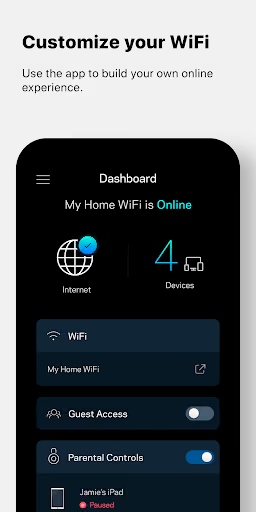
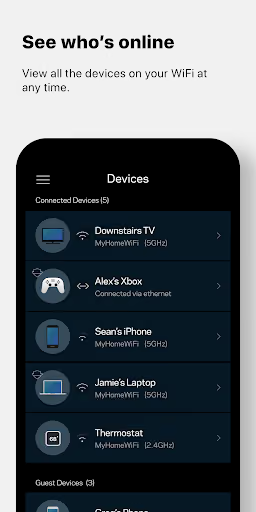
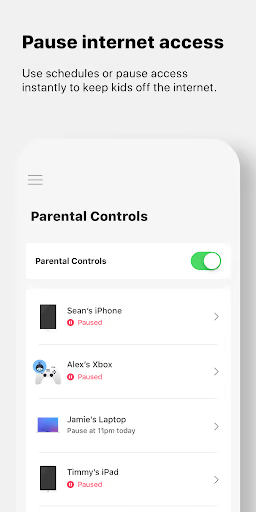
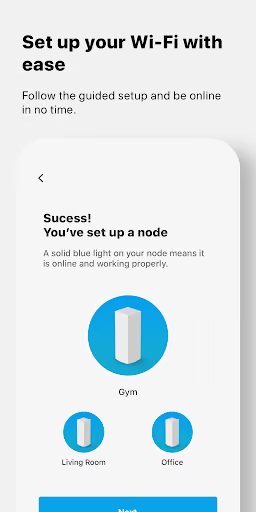
Linksys is the official Android command center for Velop systems and Linksys Smart WiFi routers. The listing says it handles remote access, dashboard status, guest access, device prioritization, Linksys Shield, and parental controls. It is free, has a 3.3★ lifetime average, and the install snapshots provided show it above 7 million installs by 2026-10-14.
What it does
Router and mesh management from a phone: connected devices, guest access, parental controls, prioritization, remote access, and setup.
What broke
Recent reviews repeatedly describe login loops, endless loading, false offline status, crashes, and settings that do not save.
Why it is soft
Users are not asking for advanced networking; they want a reliable way to reach the router they already own, especially when the web interface is easier.
Strengths
This is not a dead category. Positive reviewers still value phone-based control, parental controls, password changes, and remote monitoring, and the official app benefits from being bundled with the router brand itself. A solo builder would start with none of that trust and no official control over firmware, cloud accounts, or supported router behavior.
Installed habit
The app is already where Linksys owners are sent for setup and daily control, which is a distribution advantage a third party cannot copy.
Clear value when it works
The best reviews praise user-friendly parental controls, monitoring who is on WiFi, and changing settings from the phone.
Official access
Linksys controls the router, firmware, account system, and supported-device list; a clone would be working around the platform, not on top of it.
Market gap
The complaint clusters are unusually consistent: users are locked into an app that cannot reliably authenticate, detect the local router, or persist the basic controls families bought the hardware for.
Login and router-detection loops
The most common complaint is being unable to log in, being told the router is offline while internet works, or getting stuck on “getting router settings.”
Slow, crashing, endless loading
Many reviewers describe long waits, restarts, blank screens, crashes, and reinstalling without improvement.
Controls do not stick
Parental controls, guest access, device names, device lists, node management, and band/channel settings are called out as unreliable or inaccessible.
App-only resentment
A smaller but important cluster says the browser or router IP path works better, and resents needing a phone app for basic router administration.
constantly looping "securely logging in" "getting router settings" CONSTANTLY. CANNOT TURN ON WPS BECAUSE IT'S NOT ON THE ROUTER. CAN'T TURN IT ON ON THE ADMIN PAGE BECAUSE ITS NOT AN OPTION. CANT TURN IT ON THROUGH THE APP BECAUSE IT WILL NOT LOG IN.
The app for this router is a total disaster. It takes forever to load, and once it finally opens, it just crashes or restarts on its own. I can't even get through the settings without the app failing. It’s impossible to manage my network because of this garbage software. For a company like Linksys, providing such a broken and unstable app is unacceptable. Fix it now!😡
The parental controls on my devices never stay saved, every couple of days I have to set them all back up again. The icons and names of the devices also randomly change by themselves to gibberish, so I have to spend time trying to figure them out again. The worst app I've ever used and I can't wait til I can get a router from a different company with an app that might actually save my settings permanently.
- Make it local-first, not cloud-first. The core wedge is a LAN tool that finds the router and reaches its local admin surface before asking for any Linksys cloud account.
- Start with rescue workflows only. Ship router detection, login diagnostics, reboot, connected-device viewing, guest access, and a simple parental-control schedule before attempting the full official feature set.
- Publish model compatibility honestly. The reviews mention different routers, nodes, mesh systems, and ISP-supplied hardware; hiding unsupported models would destroy trust faster than a small launch scope.
Build complexity
Estimated, not derived: one part-time developer, no funding, no team, and no paid acquisition. The hard part is not drawing router screens; it is reliable device discovery and control without official Linksys APIs across a fragmented hardware base.
| Workstream | Weeks |
|---|---|
| Android app shell, LAN permissions, onboarding | 2.0 |
| Router discovery and local session handling for a small model set | 4.0 |
| Core controls: devices, guest access, reboot, simple family schedules | 3.0 |
| Compatibility matrix, error states, diagnostics, support docs | 2.0 |
| Play listing, billing, crash reporting | 1.0 |
| Total | 12.0 |
Expected revenue
Estimated, not derived: with no paid acquisition, assume the app is found by frustrated Linksys owners searching for a fix. Pricing is a free diagnostic mode plus a $9.99/year Pro plan, recognized as roughly $0.83/month per paid user; the low price reflects the fact that users already bought the router.
| Month 12 funnel | Users | Assumption |
|---|---|---|
| Installs | 3,200 | Organic troubleshooting demand only |
| Activated | 1,600 | Router detected or diagnostic completed |
| Retained | 1,450 | Still useful after setup |
| Paid | 1,450 | $9.99/year Pro |
| Revenue | $1,200/month | Recognized MRR estimate |
Biggest challenges
The solo-builder problem is platform control. Linksys can change firmware, login flows, local endpoints, cloud requirements, and supported-router behavior; a third-party utility may break without warning and would have to win trust while asking for router credentials.
No official integration
A clone would likely depend on local web behavior, discovery, or reverse-engineered flows rather than a stable documented API.
Security trust
Router control is sensitive; users may be angry at Linksys but still wary of giving a new unknown app network credentials.
Model fragmentation
Reviews mention mesh nodes, WiFi 7, ISP routers, Smart WiFi routers, and older models; supporting one slice does not solve the broader complaint.
AI angle
There is only a limited AI angle. AI can help label unknown connected devices, summarize diagnostics, and explain router errors in plain English, which maps to complaints about gibberish device names and confusing loops. It does not solve the main blocker: getting reliable, authorized control of Linksys hardware.
Useful AI add-on
Suggest friendly device names from hostnames, vendors, and behavior; turn diagnostic states into user-readable next steps.
Not a moat
AI cannot bypass unsupported firmware, broken credentials, or Linksys cloud requirements, so it should not change the time or revenue estimate.
Conclusion
Skip it. The user pain is real and loud, but this is a hardware-adjacent, security-sensitive, undocumented-control problem where the official vendor owns the platform. A small diagnostic/rescue app could make money, but a true Linksys replacement is not a good solo part-time bet.
Time to v1
Free diagnostics + Pro
Month-12 MRR estimate
Deciding constraint