Abstract
The user pain is obvious: recent Blackboard reviewers describe blank course screens, broken login persistence, delayed notifications, slow loading, and the website working better than the app. The solo-builder opportunity is much weaker than the complaint volume suggests, because a replacement app needs reliable access to institution-specific Blackboard servers and authentication flows that a small third party may not be allowed to use.
Background
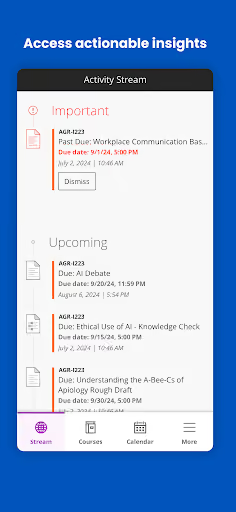
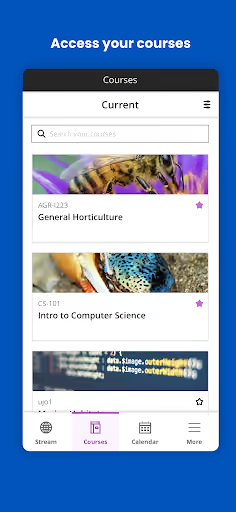
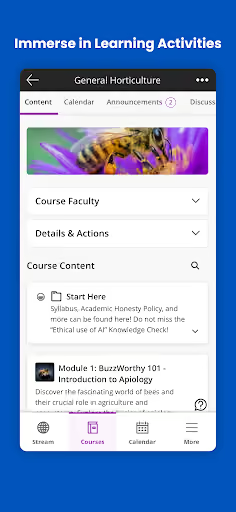
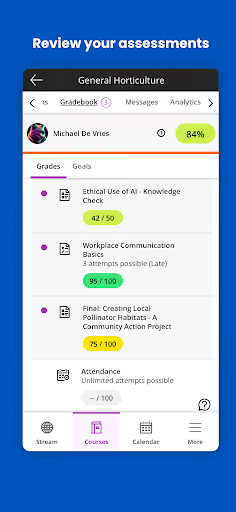
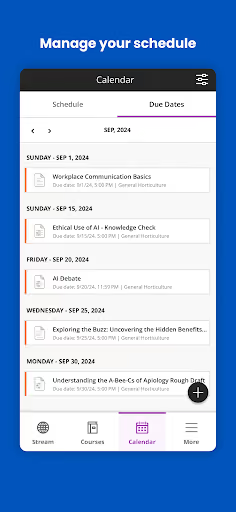
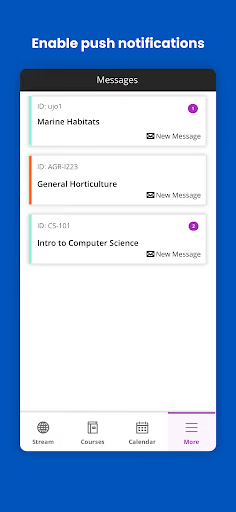
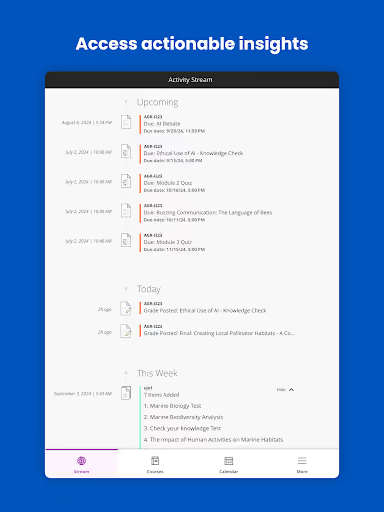
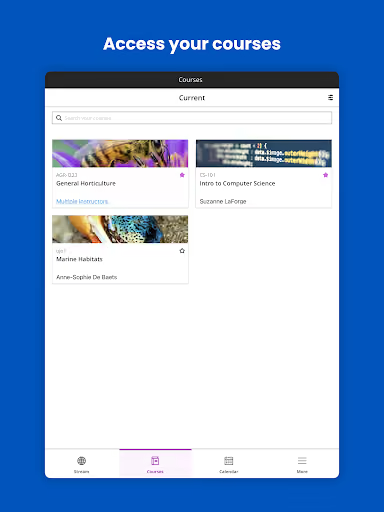
Blackboard is the official mobile app for institutions using Blackboard, covering course updates, alerts, assignments, tests, grades, announcements, instructor tools, and grading. It is free, has a 3.3★ current lifetime average, and its listed install snapshots reach 12,099,556 on 2026-09-18.
What it does
Mobile access to Blackboard courses: content, grades, due dates, notifications, announcements, assignments, tests, discussion threads, and instructor workflows.
What changed
Recent reviewers repeatedly say a latest update or recent period made course content stop loading, often leaving a blank white screen after selecting a course.
Why it is soft
Students are forced to use Blackboard by schools, but many reviews say the phone browser or laptop works better than the app, creating room for a companion rather than a full LMS replacement.
Strengths
This is not a weak product category: Blackboard is embedded at the institution level, and several positive or mixed reviews still value quick access to grades, due dates, feedback, announcements, and class materials on the go. A new entrant would start with none of the institutional trust, server access, or mandatory usage that the official app already has.
Distribution moat
Schools choose the LMS; students rarely choose the mobile client. That makes organic switching much harder than in a normal consumer productivity app.
Core habit
Even angry users keep the app installed because it is tied to real coursework, deadlines, grades, announcements, and tests.
Website fallback
Many reviewers say the browser version works better, which proves the underlying course data can still be useful even when the app client fails.
Market gap
The complaint clusters are unusually concrete: people do not mainly ask for more LMS features; they want the basic mobile client to load courses, stay signed in, open notifications, and render class content correctly.
Course content does not load
The loudest cluster is blank white screens, endless loading, bad requests, and “something’s not right” errors after choosing a course, grade, calendar, message, or content tab.
Login will not stick
Reviewers complain about being logged out repeatedly, login loops, verification friction, CAS issues, and “remember me” settings not being respected.
Notifications are unreliable
Students say notifications are delayed, missing, non-stop when they finally arrive, or open broken links instead of the relevant assignment or announcement.
Mobile rendering is poor
A smaller but important cluster mentions cropped discussion posts, awkward course navigation, slow performance, broken buttons, and test controls that do not fit the screen.
The website is still better than the app. The app takes more than minutes to actually open Course Content on a subject, it doesn't even open properly most of the time. It just ends up being a white screen. Just use the website on Chrome or Safari, works better.
Always making me sign in, doesn't show grades, not suitable to do work on through a phone. Doesn't update the announcements.. i can see a new announcement post but when i click it an old one always loads in place. Really hate this app and it's always signing me out or not pushing important notifications. Trash trash trash 🗑 should be ashamed of its level of functionality for students. update: still never works.
Can you PLEASE fix the app and stop it from logging me out every other session? I need to use the app frequently and it's so frustrating when to have to log in all the time!!
- Do not build a full Blackboard replacement. A solo builder cannot realistically replace institution-owned LMS access, tests, grading, instructor tools, and official support.
- Build a read-only companion first. The gap is fastest to attack with a reliable mobile view for courses, announcements, due dates, grades, and links back to the browser for risky actions.
- Make reliability the feature. Persistent sessions, cached course lists, clear error states, notification routing, and readable discussion pages answer the review pain better than adding more LMS features.
Build complexity
Estimated, not derived: one developer, part-time, no funding, and no paid acquisition. This assumes a cautious read-only companion that works where user credentials and institution login flows allow it, not a full official LMS client.
| Workstream | Weeks |
|---|---|
| Institution search, login wrapper, and session handling | 3.5 |
| Course list, announcements, grades, and due-date views | 3.0 |
| Mobile rendering, caching, and offline error states | 2.5 |
| Notification routing and deep-link fallback to browser | 2.0 |
| Billing, privacy review, QA across login variants, Play listing | 3.0 |
| Total | 14.0 |
Expected revenue
Estimated, not derived: the incumbent is free and school-mandated, so assume a freemium companion with a small $2.99/month Pro tier for power users who need dependable mobile monitoring. Without paid acquisition or institutional sales, month-12 revenue should be treated as side-project scale.
| Month 12, monthly | ||
|---|---|---|
| Installs | 2,000 | organic only |
| Activated | 800 | logs in and sees courses |
| Retained | 350 | still using after 30 days |
| Paid | 200 | $2.99/month |
| Revenue | $600 | month-12 MRR |
Biggest challenges
The hard part is not drawing a cleaner course screen; it is safely and reliably accessing many institution-specific Blackboard setups without official distribution. A solo developer also has to convince students to trust a third-party app with school login credentials while competing against an app their institution already tells them to use.
Authentication variability
Reviews mention university login loops, CAS issues, codes, and remembered sessions failing; every school can behave differently.
No institutional blessing
Students may want a better client, but schools control the platform choice and may not recommend an unofficial companion.
Store and policy risk
A third-party app handling course data, tests, messages, and credentials faces privacy, security, and Play review risk.
AI angle
There is no strong AI angle for the core opportunity. AI could summarize announcements or turn due dates into a study plan, but the reviews are not asking for intelligence; they are asking for login persistence, loading reliability, notifications, and readable mobile pages. AI does not remove the integration, trust, or authentication moat.
Useful but secondary
Summaries of long announcements or class threads could differentiate later, if the app already has dependable course access.
Not the unlock
AI will not make institution login flows stable, create official APIs, or solve student trust in a third-party school app.
Conclusion
Skip it. The market gap is real and painful, but the defensible product is controlled by institutions and Blackboard servers, not by individual student preference. A solo builder could ship a narrow companion, but the likely outcome is a fragile integration, low student willingness to pay, and policy risk for only side-project revenue.
Time to v1
Freemium Pro model
Month-12 revenue
Official app install snapshot