Abstract
Amazon Kids Parent Dashboard has a real user-trust problem: parents complain that time limits, pause/resume, content blocking, and the new UI do not reliably protect kids. The market gap is clear, but a solo builder cannot truly replace Amazon’s dashboard for Fire tablets, Echo, Fire TV, and Kindle without privileged platform access, so the realistic opportunity is a narrower Android-first escape hatch for families leaving Amazon hardware.
Background
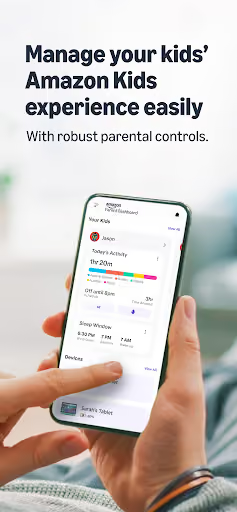
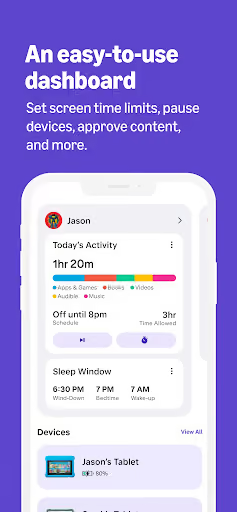
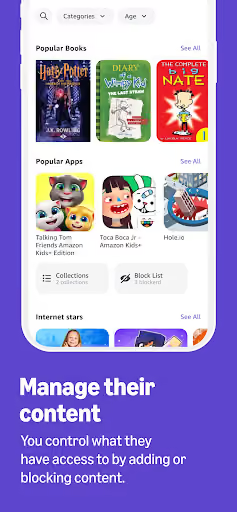
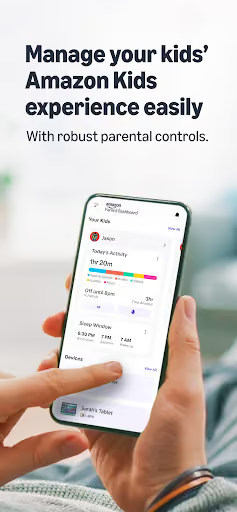
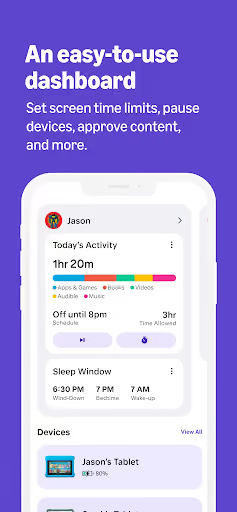
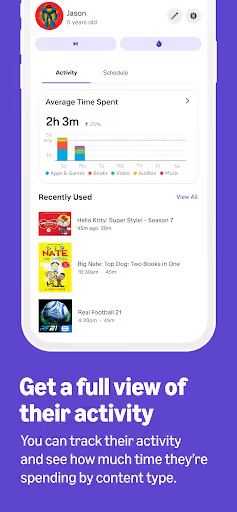
Amazon Kids Parent Dashboard is Amazon’s free parent app for managing child profiles, screen-time limits, activity, content, and pause/resume across Amazon devices and Amazon Kids+. It still carries a 4.1★ lifetime rating and had 1,773,681 installs listed on 2026-08-04, but recent reviews describe a dashboard that parents no longer trust for basic controls.
What it does
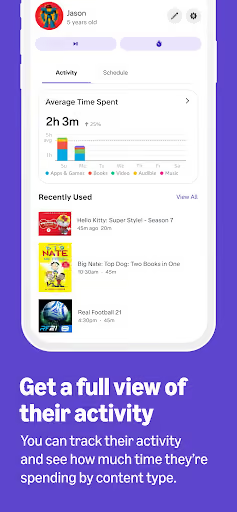
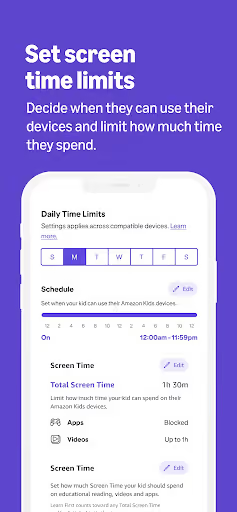
Lets parents manage up to 4 child profiles, set time limits, pause/resume devices, review activity, and manage content across Fire tablets, Echo speakers, Kindle e-readers, Fire TV, and other devices.
What changed
Several reviewers call out a new UI/update that made content management harder, hid or removed controls, and pushed them toward Amazon Kids+ even when they were trying to manage purchased content.
Why it is soft
Parents are not asking for novelty; they want controls that apply instantly, block-all/allow-list content rules, clearer purchase approvals, and a less convoluted dashboard.
Strengths
This is not a dead product. Positive reviewers still value remote pause/resume, daily allowances, activity visibility, Learn First, and the convenience of controlling a child’s tablet from a phone. Amazon also has the ecosystem advantage: Fire tablets, Fire TV, Echo, Kindle, Amazon accounts, purchases, subscriptions, and child profiles are already connected.
Retained habit
Parents already bought the devices and built household routines around the dashboard, so a new entrant must overcome switching pain.
Ecosystem lock-in
A competitor cannot simply plug into Fire tablets, Echo limits, Amazon content approvals, or Kids+ entitlements the way Amazon can.
Still-useful core
Even some frustrated reviews say screen time, monitoring, or pause controls help when they actually sync.
Market gap
The complaint pattern is concentrated around trust: parents set rules, but the rules are hard to find, hard to apply in bulk, unclear at purchase time, or unreliable across devices.
Controls do not reliably apply
The most damaging cluster is sync failure: pause/resume, bonus time, schedules, and time limits sometimes lag, require restarts, or do not affect Fire TV, Firestick, tablets, Echo, Netflix, or YouTube the way parents expect.
Content is blacklist-first
Parents repeatedly ask for block-all/allow-list behavior, better search, filters by age or genre, bulk blocking, and protection from apps or videos that reappear under slightly changed names.
New UI hides jobs-to-be-done
Several reviews after the update say purchased-content management, blocking, requests, and daily time remaining are buried, removed, or harder to understand.
Purchases and subscriptions feel opaque
A smaller but serious cluster complains about unclear charges, purchase approvals without enough context, Kids+ prompts, and frustration from paying for a service that does not work.
We need a block all button so we can easily add the things we want our children to have access to. It's a huge pain to go through and block all the things. PLEASE get rid of the YouTube videos available when web is enabled! we use the web for school and I can't block the YouTube videos
this isn't even working. the time limits function does not keep track in real time when my kids use Netflix on their Firestick. With one of the profiles, I try to set a 2 hour limit for the day and it won't let my kid watch even a single second and for the other kid it never shuts off with any of my parental controls. Might as well not have the app at all.
the update is absolute trash. you can't add purchased content through the app anymore. they're pushing their subscription and only showing content available through the subscription ON THE PARENT APP. do better amazon
- Do not build an Amazon-device replacement. The sharpest pain is inside Amazon’s closed device and content stack, and a solo app cannot reliably control Fire TV, Echo, Kids+, purchased content, or Fire tablet internals without Amazon-level privileges.
- Build for parents switching to standard Android. Reviews explicitly compare Amazon unfavorably to Android controls, so position as a clean parental-control layer for families leaving Fire tablets rather than as a plug-in fix for Amazon Kids.
- Lead with allow-listing and explainable time rules. The v1 wedge should be block-all by default, parent-approved apps only, visible time remaining, one-day overrides, and clear purchase/request context.
Build complexity
Estimated, not derived: one part-time solo developer, no funding, no team, and no paid acquisition. This assumes an Android-first parental-control app, not a true Amazon Kids replacement, because Amazon-device control would be the wrong scope for a solo builder.
| Workstream | Weeks |
|---|---|
| Parent app, child profile setup, onboarding | 3.0 |
| Child-device agent, usage tracking, local enforcement | 4.5 |
| Allow-list rules, schedules, one-day overrides | 3.0 |
| Sync, notifications, audit log, failure states | 3.0 |
| Billing, support flows, Play policy hardening | 2.5 |
| QA on Android versions and store listing | 2.0 |
| Total | 18.0 |
Expected revenue
Estimated, not derived: the model assumes a free install with a $3.99/month family subscription after setup. Without paid acquisition and without direct Amazon-device compatibility, month-12 revenue should be treated as modest even though the complaint signal is strong.
| Month 12, monthly | ||
|---|---|---|
| Installs | 2,000 | |
| Activated | 800 | 40% |
| Still on at 30d | 400 | 20% |
| Paid | 300 | 15% |
| Revenue | $1,200 | $3.99/month rounded |
Biggest challenges
The hard part is not drawing a cleaner dashboard; it is earning parent trust while touching sensitive child-safety permissions and avoiding the impossible promise of controlling Amazon’s own devices and content catalog.
No official Amazon control surface
The reviews are mostly about Fire tablets, Fire TV, Echo, Amazon content, and Kids+. A solo competitor cannot guarantee fixes there.
Play policy risk
Real parental controls often need sensitive Android permissions, background services, device administration, accessibility-style enforcement, or VPN-style filtering.
Trust cold start
Parents will not hand a new app child-device control without reviews, clear privacy posture, and fast support when limits fail.
AI angle
There is a genuine but secondary AI angle: AI can make content triage cheaper by classifying installed apps, titles, descriptions, and parent requests into explainable categories, which directly addresses the complaints about poor filtering, irrelevant content, and one-by-one blocking. It does not solve device-level enforcement or Amazon integration, so it should not change the build or revenue estimate.
Useful AI feature
A parent can ask for “school apps only before 5pm” or “block video apps except the reading app,” and the app suggests a rule set with a short explanation.
What AI cannot fix
It cannot magically pause Echo devices, approve Amazon purchases, manage Kids+ content, or make Fire TV limits apply in real time.
Conclusion
Skip a direct clone. The user pain is real and recent, but the most valuable fixes require Amazon’s device, account, and content privileges. Build only if you are willing to position narrowly as an Android-first alternative for families leaving Fire tablets, not as a drop-in Amazon Kids Parent Dashboard replacement.
18 weeks
Time to v1
$3.99/mo
Family subscription
$1,200
Revenue at month 12
closed ecosystem
Fact that decided it