Abstract
The user pain is real: recent reviews complain about broken login, paystub access, slow loading, crashes after updates, and forced reactivation. But the buyers are employers already tied into SAP SuccessFactors, not the employees leaving reviews, so a solo builder cannot easily sell a replacement app without sanctioned enterprise integration.
Background
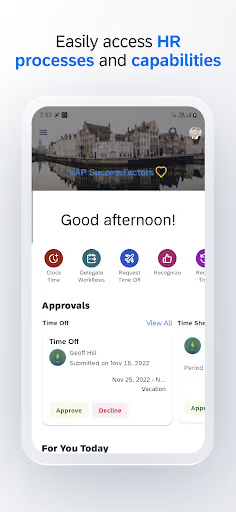
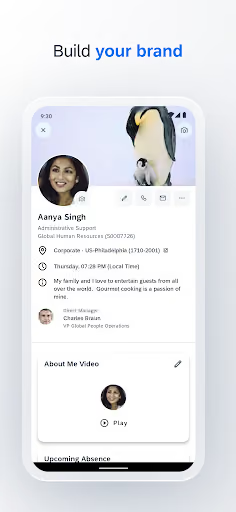
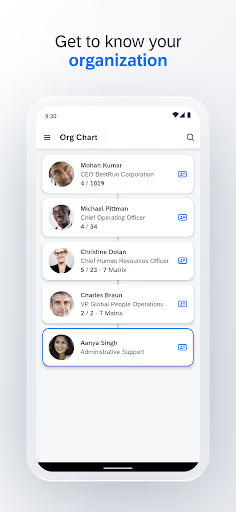
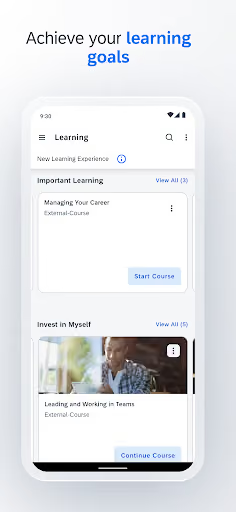
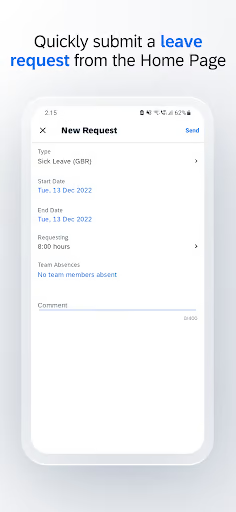
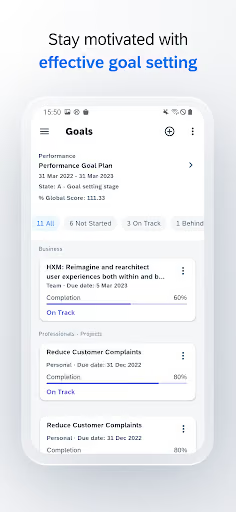
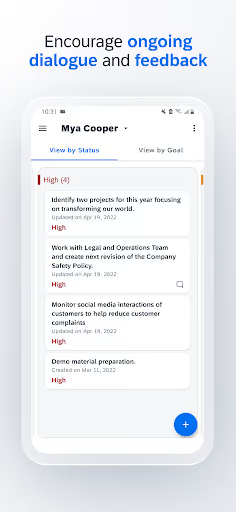
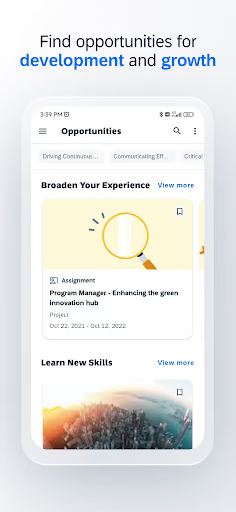
SAP SuccessFactors Mobile is a free enterprise HR app with a 3.5★ lifetime rating and 8,521,354 installs as of 2026-08-03. It is meant to let employees view profiles, approve requisitions, access organization charts, take courses, manage goals, request time off, and view HR information on mobile.
What it does
Mobile access to HR workflows: pay-related information, time off, learning, employee profiles, approvals, goals, and company-specific sign-in.
What changed
Recent reviewers repeatedly tie failures to updates: the app stops opening, demands an update that is not available, loses credentials, or marks previously working devices as incompatible.
Why it is soft
The Android experience appears unreliable for high-stress moments like pay week and leave requests. The market gap is obvious, but access is controlled by employers and SAP tenants.
Strengths
This is not a tiny abandoned utility. SAP SuccessFactors Mobile sits inside employer HR systems, has millions of installs, and a few reviewers still say it works as intended or becomes useful once configured. Its biggest strength is not app polish; it is enterprise lock-in, administrator control, and the fact that employees often have no choice but to use what their company provides.
Distribution
Employers push the app into existing HR workflows, so SAP does not need consumer-style acquisition to keep usage.
Feature breadth
The listed scope covers profiles, approvals, org charts, courses, goals, documents, and time off — far more than a narrow solo-built clone.
Habit and mandate
Even angry reviewers keep reinstalling because they need payslips, leave, or attendance access for work.
Market gap
The complaint clusters are consistent and practical: people are not asking for a new HR suite, they are asking for the current required app to open, stay signed in, and show pay and leave information when needed.
Login, auth, and reactivation
The most common complaint is being unable to log in, being logged out repeatedly, getting trapped in company credential flows, or needing HR/admin help to reactivate.
Payslips and paystubs
Many reviewers specifically mention paystubs or payslips not loading, being delayed, crashing, or requiring cache-clearing workarounds.
Crashes, blank screens, incompatibility
A visible cluster says the app opens and closes immediately, shows blank pages, says the device is incompatible, or demands an update when the latest version is already installed.
Leave and attendance anxiety
Some reviewers cannot book holidays, apply for leave, view balances, or trust attendance regularization, which turns a mobile bug into a payroll or absence problem.
You know that once a month moment when you want to quickly access your payslip and see what you've got? Yeah this app is designed to do the polar opposite of that. login is a pain to say the least. payslips barely ever load. currently it's crashing everytime I try to open it and has been for months.
Pointless and annoying, doesn't function properly. My employer decided my payslips would only be sent through this disgrace of a service. It's a pain to log in, does not stay logged in even if you select that option, and randomly logs out within a minute. It's cruel and unusual torture, and a waste of my time.
Hot garbage. Can't view paystubs unless I first open the app and try to view them. I then have to close the app, force stop it, and clear the cache to be able to view them. That sequence has to be done EVERY SINGLE TIME. What an absolute joke of an app.
- Do not build a full HRIS clone. The realistic wedge is a sanctioned mobile companion for the few workflows users name most: pay documents, leave balances, leave requests, and basic profile access.
- Make authentication the product. Persistent enrollment, clear error states, reliable company sign-in handoff, and recovery paths matter more than adding extra HR features.
- Cache read-only essentials after a successful sync. If users can safely reopen the last payslip, paystub history, and leave balance during an outage, the app solves the complaint without pretending to replace SAP.
Build complexity
Estimated, not derived: one developer, part-time, no funding, no team, and no paid acquisition. This assumes a narrow Android v1 built only where an employer can authorize access; without that, the product is not shippable in any meaningful way.
| Workstream | Weeks |
|---|---|
| Employer discovery, security expectations, and tenant setup | 4 |
| Android app shell, enrollment, session handling, error recovery | 5 |
| Integration layer for approved HR data access | 6 |
| Payslip, leave balance, leave request, and read-only cache flows | 4 |
| Device QA, crash handling, update compatibility | 3 |
| Store listing, admin docs, basic billing | 2 |
| Total | 24 |
Expected revenue
Estimated, not derived: employees feel the pain, but employers control the buying decision. With no paid acquisition, no enterprise sales team, and no guaranteed integration route, the honest month-12 self-serve forecast is $0 MRR.
| Month 12, monthly | Assumption | Notes |
|---|---|---|
| Installs | 500 | Mostly complaint-driven searches, not employer rollouts |
| Activated | 80 | Most users cannot connect without employer approval |
| Retained | 20 | Useful only where access is sanctioned |
| Paid | 0 | No credible employee-paid model for workplace HR access |
| Revenue | $0 | Expected MRR at month 12 |
Biggest challenges
The hardest part is not drawing cleaner HR screens; it is getting lawful, reliable access to employer-controlled HR data and convincing companies to trust a solo developer with pay, leave, identity, and employee-profile workflows.
Buyer mismatch
Reviewers are employees, but their employers choose the HR platform. Angry users cannot usually switch the system themselves.
Trust and compliance
Paystubs, identity, attendance, leave, and employee records create a trust bar far above a normal consumer productivity app.
Integration dependency
A companion app is only valuable if it connects to the employer’s SuccessFactors setup; a random Play Store install cannot solve that alone.
AI angle
There is no strong AI wedge here. AI could help summarize help tickets, classify login errors, or generate admin troubleshooting copy, but it does not solve the core blocker: authenticated, employer-approved access to HR data and enterprise trust.
Where AI helps
Support triage, clearer error explanations, and QA log analysis could make a sanctioned app nicer to operate.
Where AI does not help
It cannot bypass company credentials, replace HR administrator approval, or make employees the economic buyer.
Conclusion
Skip it. The reviews expose a painful Android reliability gap, especially around login and pay access, but this is a locked enterprise workflow. A solo builder can identify the broken experience faster than they can get permission to replace it.
24 weeks
Time to v1
$0
No credible self-serve model
$0
Month-12 revenue
Employer lock-in
Employees complain, companies choose