Abstract
QuickBooks is too broad and entrenched to clone, but its recent mobile reviews expose a narrower opening: self-employed tradespeople and sole traders who mainly need invoices, receipts, mileage, basic tax/VAT handling, and reliable phone-first workflows without the desktop-suite complexity.
Background
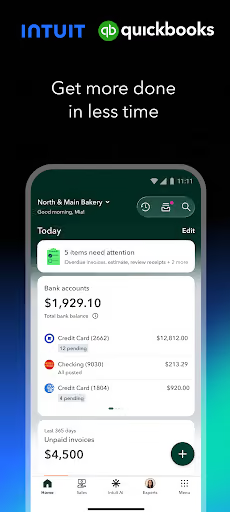
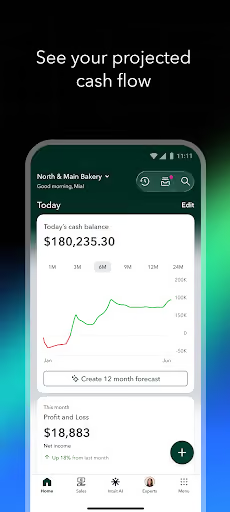
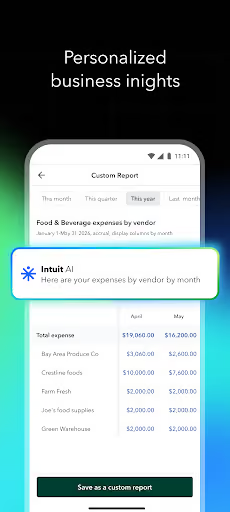
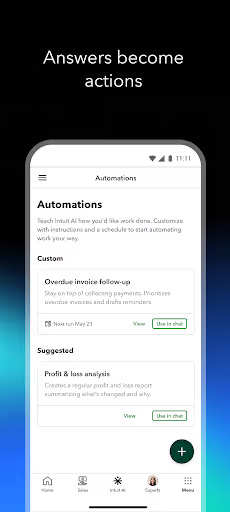
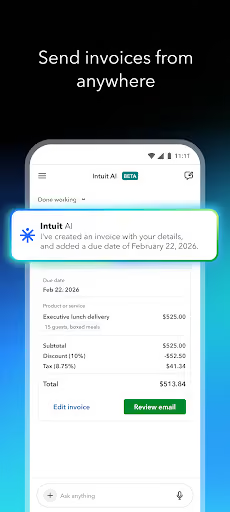
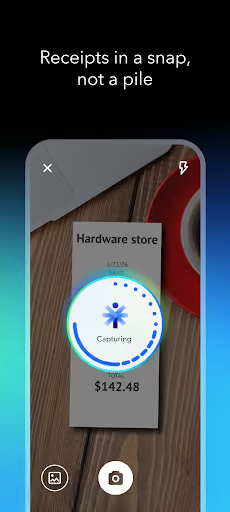
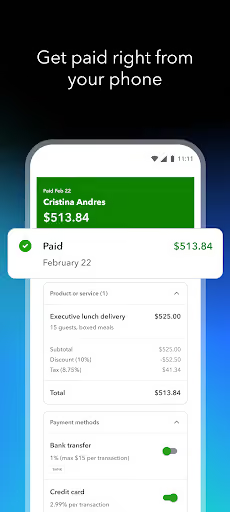
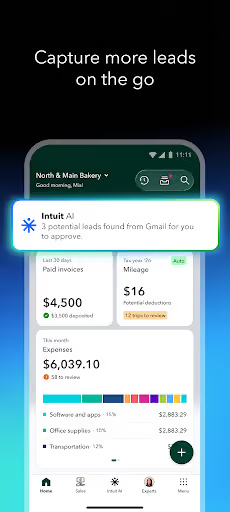
Intuit QuickBooks for Business is a free-to-install mobile companion for QuickBooks’ small-business accounting platform, with invoicing, expenses, payments, receipt capture, mileage, reports, cash-flow views, and beta AI automations. The app still carries a 4.7★ lifetime rating and 8,956,072 installs, so the opportunity is not that QuickBooks lacks demand; it is that recent reviewers describe the mobile app as slower, buggier, pricier, and worse for sole traders after product changes.
What it does
A broad accounting app: invoices, estimates, receipt scanning, bank feeds, payments, mileage, reports, payroll-adjacent workflows, and cash-flow tools.
What changed
Reviewers repeatedly mention recent updates, the move from Self Employed to Sole Trader Plus, missing mobile features, broken invoice/tax behavior, and price increases.
Why it is soft
QuickBooks has to serve accountants, payroll, payments, banking, and multi-user firms; a solo builder can only win by staying narrow and mobile-first.
Strengths
QuickBooks is not a strawman. It has a huge installed base, a strong lifetime rating, and reviews still praising its bank-linking, business overview, customer service, and AI categorization. A competitor starts with none of that trust, no accounting brand, and no embedded payment or bank relationships.
Entrenched habit
Many angry reviewers say they have used QuickBooks for years, which means the product remains deeply embedded even when disliked.
Breadth
The incumbent bundles accounting, payments, banking, reports, mileage, receipts, and integrations a solo builder cannot fully match.
Some AI value
One positive reviewer says QuickBooks now remembers recurring payroll-related transaction categories more intelligently.
Market gap
The gap is not “build QuickBooks.” It is “replace the mobile jobs QuickBooks users expected to do in the field.” The most useful complaint clusters are reliability first, then forced complexity and pricing, then support and lock-in.
Broken mobile core
Invoices, estimates, tax/VAT, receipt matching, bank transactions, deposits, and save flows are repeatedly described as failing on the phone.
Sole trader migration pain
Former Self Employed users complain that Sole Trader Plus is harder, loses or duplicates data, resets invoice numbers, and is overbuilt for simple self-employed work.
Price and upsell resentment
Several reviewers mention higher monthly costs, cancelled legacy subscriptions, forced upgrades, popups, and fees around payments or subscriptions.
Support does not close the loop
Users describe chatbots, repeated calls, promised callbacks, unresolved tickets, and being pushed to desktop or web instead of getting a mobile fix.
Dreadful. Had to switch to Sole Trader from Self Employed (which was great) because of the new digital tax rules. Couldn't port over my old invoices, which is unacceptable. Doesn't load my bank transactions so I can't mark invoices as paid, can't make edits to duplicate invoices on the app, and I simply don't like the new interface. Why couldn't they just have kept the old one but made it integrate with digital HMRC? This is virtually unusable.
Absolutely awful!! Quickbooks Self Employed worked well, but this Sole Trader Plus is terrible. Every invoice is now the same invoice number instead of following on from the last invoice. The mileage tracker keeps disappearing and to mark an invoice as "paid" manually is convoluted. Bank accounts aren't uploading with new transactions, even when being reconfirmed. It's a step backwards! What are you playing at Quickbooks? I've also been charged £12 when the email said it would be an offer at £1.
- main search bar wil randomly omit results. - VAT rate roulette as to whether you totals are inclusive or exclusive. And that changes with every customer and update. - Constantly get pop-ups asking to rate it, unable to turn this off. - Android app works for about 5 minutes before, hanging while throttling your handset and making your phone hot. - Often find client spam filter will prevent invoice email DONT WASTE YOUR MONEY! A Spreadsheet & using royal mail to send invoices would be quicker!!!
- Do not clone accounting. Ship a narrow mobile app for invoices, estimates, receipts, mileage, simple tax/VAT fields, and paid/unpaid status; leave payroll, lending, full ledgers, and complex reports alone.
- Make switching boring. CSV import/export, sequential invoice numbers, PDF invoices, and offline draft saving matter more than clever dashboards because data loss and rework drive the anger.
- Sell reliability, not AI. The wedge is fast mobile workflows, transparent pricing, no surprise upgrade path, and human-readable support docs for the few things the app actually does.
Build complexity
Estimated, not derived: one developer, part-time, no funding, and no paid acquisition. This is for a narrow v1, not a QuickBooks replacement; bank feeds, payroll, payments, official tax filing, and accounting-firm workflows are intentionally out of scope.
| Workstream | Weeks |
|---|---|
| Mobile app shell, auth, local-first storage | 2.0 |
| Customers, products/services, estimates, invoices, PDFs | 3.0 |
| Receipt capture, expense entry, mileage log | 2.0 |
| Simple tax/VAT settings, paid/unpaid tracking, exports | 2.5 |
| CSV import, backups, onboarding for switchers | 1.5 |
| Billing, Play listing, QA on real devices | 3.0 |
| Total | 14.0 |
Expected revenue
Estimated, not derived: assume an organic-only launch aimed at frustrated sole traders, priced at $9/month after a free trial. This is deliberately modest because accounting apps require trust, switching is scary, and QuickBooks’ brand still dominates search.
| Month 12 funnel | Users | Assumption |
|---|---|---|
| Installs | 1,800 | Organic search, reviews, referrals |
| Activated | 900 | Creates first customer, invoice, or receipt |
| Retained | 500 | Still using after trial |
| Paid | 300 | $9/month |
| Revenue | $2,700 | Month-12 MRR |
Biggest challenges
The hardest part is not drawing invoice screens; it is convincing business owners to trust a new app with tax records, handling imports safely, and avoiding promises that turn the product into an underfunded accounting platform.
Cold-start trust
A 0-review app asking for business records competes against a 4.7★ incumbent with millions of installs, even if recent mobile users are angry.
Accounting liability
Bad tax/VAT defaults, invoice numbering mistakes, or lost exports can cost customers money; v1 needs narrow scope and conservative wording.
No official escape hatch
Switching depends on whatever data users can export manually; the app cannot rely on a clean QuickBooks mobile migration API from the facts given.
AI angle
There is a real but secondary AI angle: receipt extraction and expense categorization can be faster to build with off-the-shelf OCR/vision and language models than by hand-coded parsing. Do not lead with AI, though; reviews are asking for reliability, not more forced automation.
Useful AI
Extract supplier, date, total, tax/VAT, and likely category from a receipt photo or PDF, then ask the user to confirm before saving.
Dangerous AI
Auto-posting accounting entries, guessing tax treatment, or changing invoice totals without explicit confirmation would repeat the trust problem reviewers already describe.
Conclusion
Build a wedge, not a clone. A solo builder should not try to replace QuickBooks, but there is a credible small business in a simpler phone-first invoicing, receipt, and mileage app for sole traders who feel pushed into a bloated, unreliable mobile workflow.
14 weeks
Time to v1
$9/mo
Subscription model
$2,700
Month-12 MRR
Sole Trader pain
Deciding fact