Abstract
Photoshop on mobile brings Adobe's brand and layer-based editing to Android, with 3.2M+ installs and a 4.33★ rating. Power users praise the layer control but consistently hit imprecise touch controls, missing desktop tools, no real tablet support, and a subscription that's hard to cancel — real gaps, but ones sitting inside an already crowded mobile-editing category.


Background
Bringing a scaled-down version of the desktop app to phones, Adobe Photoshop: Photo Editor earns real praise for its layer system while frustrating power users on precision.
What it does
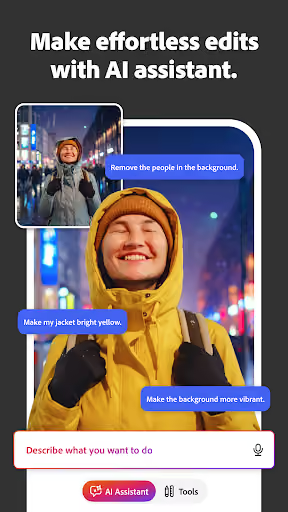
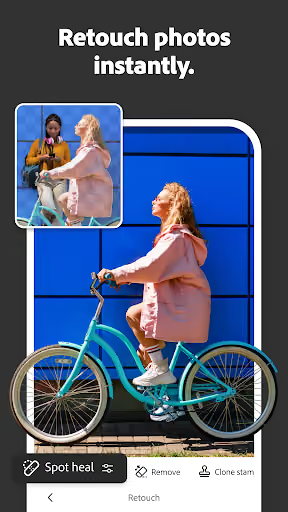
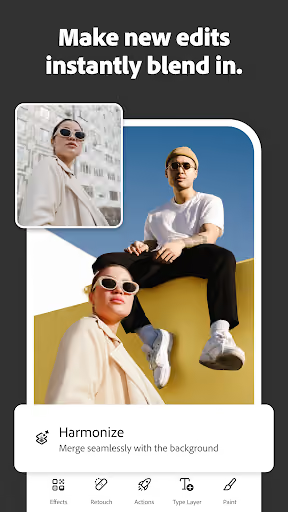
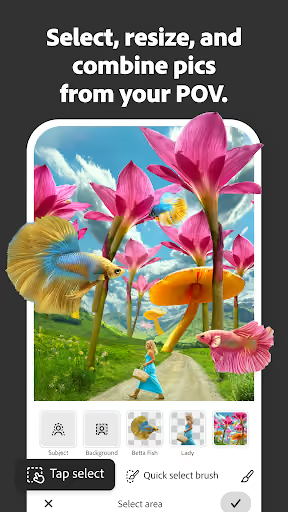
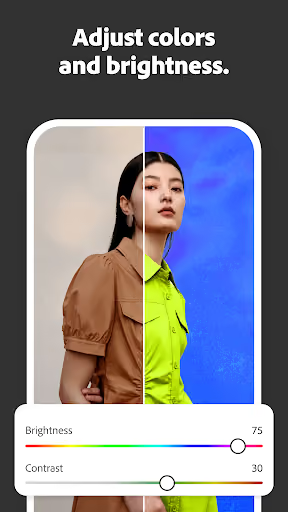
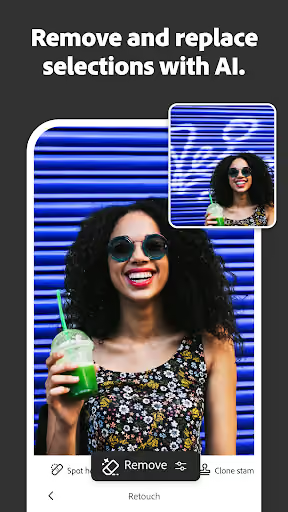
Layer-based photo editing on Android — object removal, background replacement, retouching, and AI editing tools, positioned as a mobile companion to desktop Photoshop.
What changed
Nothing sudden — the complaints are structural: touch controls too imprecise for fine adjustments, missing tools like liquify/warp, no true tablet layout despite a paid subscription, and a cancellation flow reviewers call deliberately hidden.
Why it is soft
The same reviewers naming these gaps also call the layer control genuinely better than Adobe's own simpler app, Photoshop Express — this is a fan base asking for more precision, not people who think the product is broken.
Strengths
The complaints come from engaged power users who already prefer this over Adobe's own simpler alternative — a real, specific audience with unmet needs rather than one that has to be built from nothing.
A committed power-user base
Reviewers compare it favorably to Adobe's own Photoshop Express and ask for more precision tools, not a different app — a sign of real product-market fit at the edges.
Adobe's brand pulls installs
3.2M+ installs show the Photoshop name alone draws a serious-editing audience that a new entrant would otherwise have to earn from zero.
extremely good for a mobile photoshop. small problem of it not saving sometimes though, maybe I'm doing something wrong. either way an extremely good app.
Market gap
The recurring complaints, grouped into named clusters, most-common first:
Touch controls too imprecise for real editing
The dominant cluster: sliders (brush size, etc.) that map a tiny screen region to a huge value range with no way to type an exact number, plus missing desktop tools like liquify or warp.
Subscription is hard to leave
A cancellation flow reviewers describe as hidden, and a free-trial-to-paid conversion several say they didn't see coming until they were charged.
No real tablet support
A smaller but pointed complaint: paying subscribers on tablets get essentially the phone layout, not a workspace suited to a larger screen or stylus.
The layer control is the one of the few reasons this is more useful than Photoshop Express. The fact that less than a millimeter of space on the average phone screen is between 50 to 100 pixels on the paintbrush slider and there is no way to manually enter in the size of the paintbrush you want to use, cost two stars and probably should have cost three stars.
why isn't this compatible with tablets? I pay almost $100/month for a subscription and they can't be bothered to make a working tablet app??? between this and all the problems on desktop, I see no reason to continue my Creative Cloud subscription any longer.
- Give every slider a precise numeric input alongside touch. The single most specific complaint here has an equally specific, contained fix.
- Ship a real tablet layout with stylus support from day one. A paying user explicitly asking for this is the clearest unmet-demand signal in the review set.
- Make cancellation one tap, with the trial end-date always visible. Remove the specific friction reviewers call deliberately hidden.
Build complexity
Estimated, not derived: one developer, part-time, no funding and no paid acquisition. A real layer-based editor with liquify/warp-level tools is a genuine image-compositing engine, not a filter app — this is the longest build in this batch.
| Workstream | Weeks |
|---|---|
| Layer-based non-destructive editing engine | 8.0 |
| Precision controls (numeric input, gesture refinement) | 3.0 |
| Advanced tools: liquify, warp, retouching | 4.0 |
| Tablet layout + stylus support | 3.0 |
| Billing (transparent trial/cancel) + polish | 2.0 |
| Total | 20.0 |
Expected revenue
Assumes a $6.99/month tier aimed narrowly at the power-user segment above, not general consumers already well served by free editors — a deliberately conservative estimate given how crowded mobile photo editing already is.
| Month 12, monthly | ||
|---|---|---|
| Installs | 20,000 | |
| Activated | 8,000 | 40% |
| Retained 30d | 2,000 | 10% |
| Paid | 400 | 2% |
| Revenue | $2,800 |
Biggest challenges
Not any single missing tool — building and maintaining a real image-compositing engine alone, and doing it inside a mobile-photo-editing category already crowded with strong free and cheap alternatives beyond Adobe itself.
A genuine engineering-heavy build
Layers, non-destructive edits, and precision tools are core image-processing work — this isn't a weekend filter app, and quality bugs here are highly visible to the exact power users being targeted.
Crowded category beyond just Adobe
Snapseed, Lightroom mobile, and others already compete hard on mobile photo editing — the opportunity is a specific precision niche, not the broad market.
AI angle
The complaints above are about precision and platform support, not about anything AI makes cheaper or newly possible — Adobe's own app already leads on AI editing features, so AI is not this opportunity's differentiator. Neither condition for a genuine angle holds, so none is claimed here.
Conclusion
Skip it. The complaints are real and specific, but they describe a crowded, engineering-heavy category with an entrenched brand incumbent — a solo builder's realistic win here is a narrow precision niche, not the broad opportunity the install count suggests.
20 weeks
Time to v1
$6.99/mo
Aimed at power users, not mass market
$2,800
Revenue at month 12
11/58
Recent reviews cite missing precision/desktop-parity tools